# Onboarding Employee (Assistant)
# Standard Procedure for Onboarding a Team Admin
## **Purpose**
To deliver a smooth, supportive, and professional onboarding experience for administrative staff, ensuring they are confident in their role, connected to our team culture, and fully equipped to succeed from day one.
---
## **Overview**
Administrative employees are vital to the daily operations and success of The Team. This onboarding process ensures clarity, structure, and early engagement with systems, workflows, and expectations.
---
## **Step 1: Prepare Before Day One**
**Technology and Access Setup**
- Computer or laptop ready
- Email address and signature created
- Phone extension and voicemail set up
- Access to relevant platforms:
- Google Workspace
- CRM
- BrokerBay (if required)
- File management tools (Drive, Dropbox, etc.)
- Internal communication tools (e.g., Slack, phone lists)
- Remarketer
**Workspace Preparation**
- Desk or workstation fully set up
- Office supplies available
- Welcome materials and printed team documents prepared
---
## **Step 2: Provide a Branded Welcome Package**
Should include:
- Mission, Vision, and Core Values of the team
- Overview of key team members and their roles
- Team policies and procedures handbook
- Organizational chart
- Calendar of meetings and key recurring tasks
- Branding guidelines for any public-facing communication
- Emergency contact sheet and safety procedures
---
## **Step 3: First Day Experience**
**Welcome Activities**
- Personal welcome from Anna or Team Lead
- Desk tour and introduction to office logistics (kitchen, supplies, printer, etc.)
- Team introduction — in-person or via welcome message
- Walkthrough of the Playbook and SOP platform (BookStack)
- Overview of the role, daily responsibilities, and expectations
- Gift or note placed on the desk (e.g., branded mug, plant, or team card)
---
## **Step 4: Training and Integration**
**Week 1**
- Orientation session covering tools, communication, and office systems
- Training on calendars, file sharing, email templates, and CRM workflows
- Shadowing another admin or operations staff (if applicable)
- Daily check-ins with supervisor or team lead
**Week 2–4**
- Introduce deeper tasks (e.g., listing coordination, data entry, scheduling, agent support)
- Provide task checklist and workflow documentation
- Set up recurring tasks in calendars or project tools
- Begin participation in internal meetings as appropriate
- Weekly 1:1 coaching or support meeting with supervisor
**End of Month 1 Milestones**
- Comfortable navigating core systems
- Completes recurring daily and weekly tasks independently
- Clear understanding of communication flow and team support expectations
- Documented 30-60-90 day goals
---
## **Files and Resources**
- Onboarding Checklist
- Daily Task List Template
- Internal Contact Sheet
- Workflow Maps (e.g., listing setup, agent support tasks)
- Technology Access & Quick Reference Guide
- Calendar of Weekly and Monthly Routines
- Emergency and Office ProceduresSt
# Real Estate Administration Role- Overview
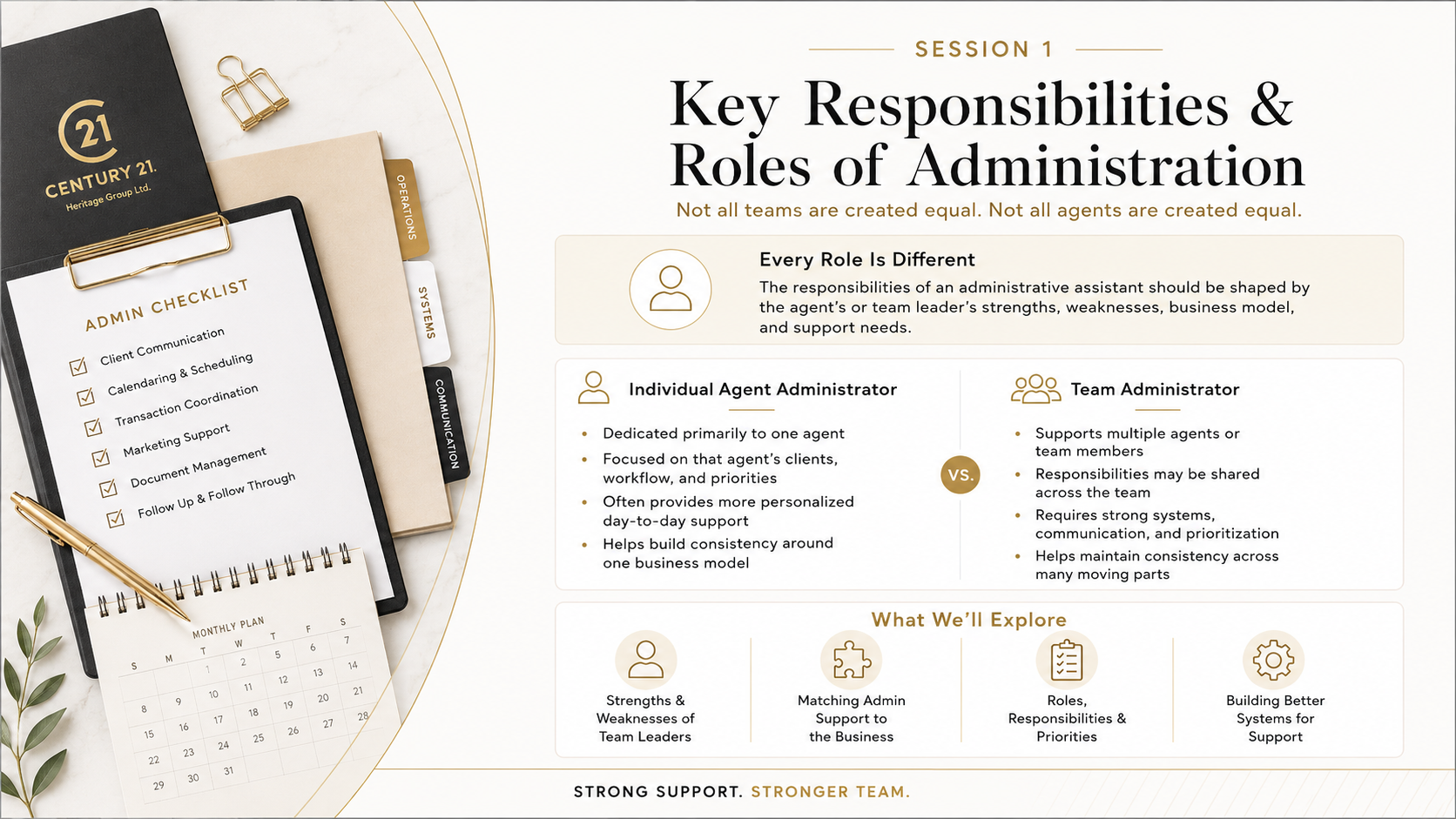
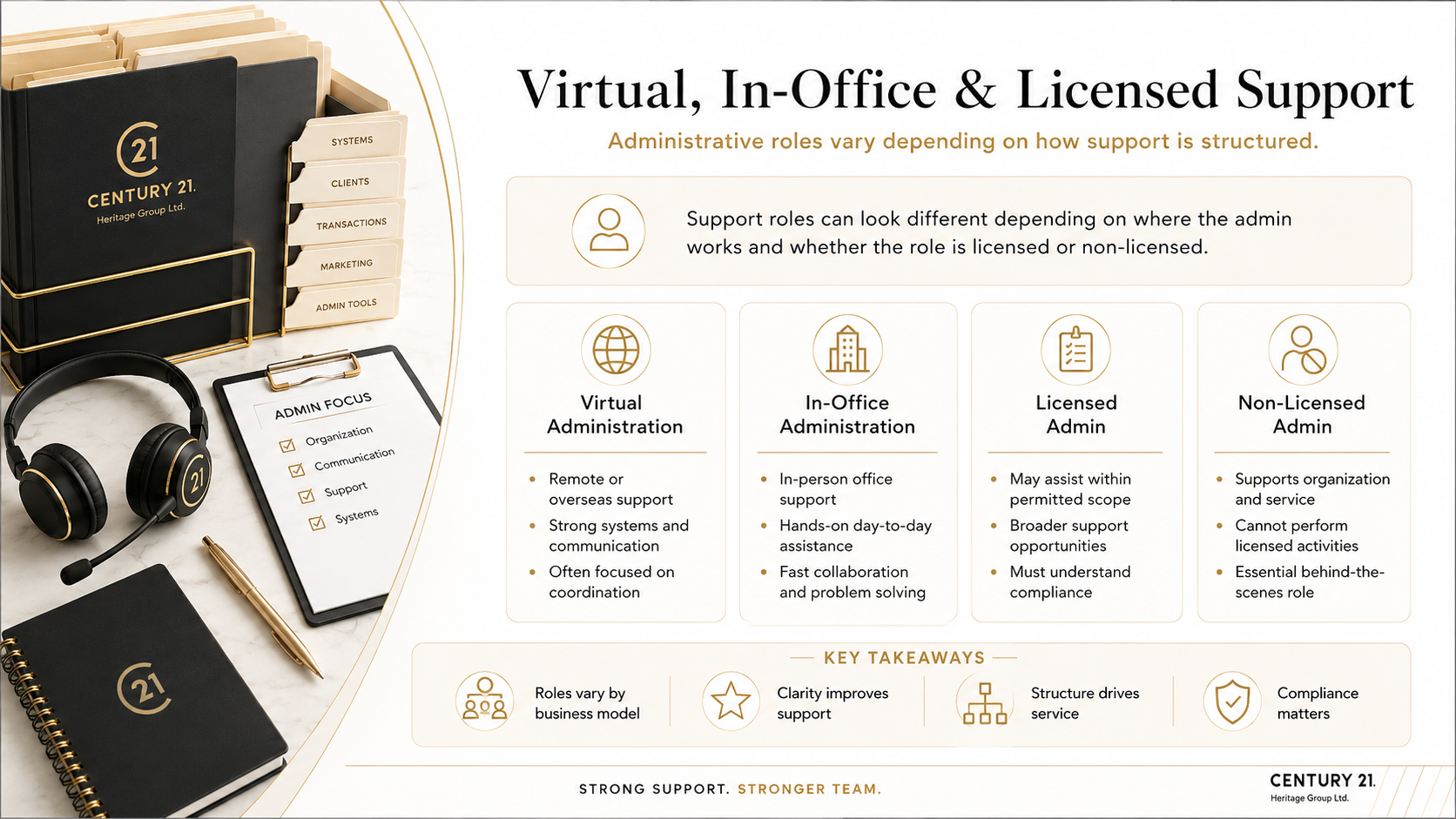
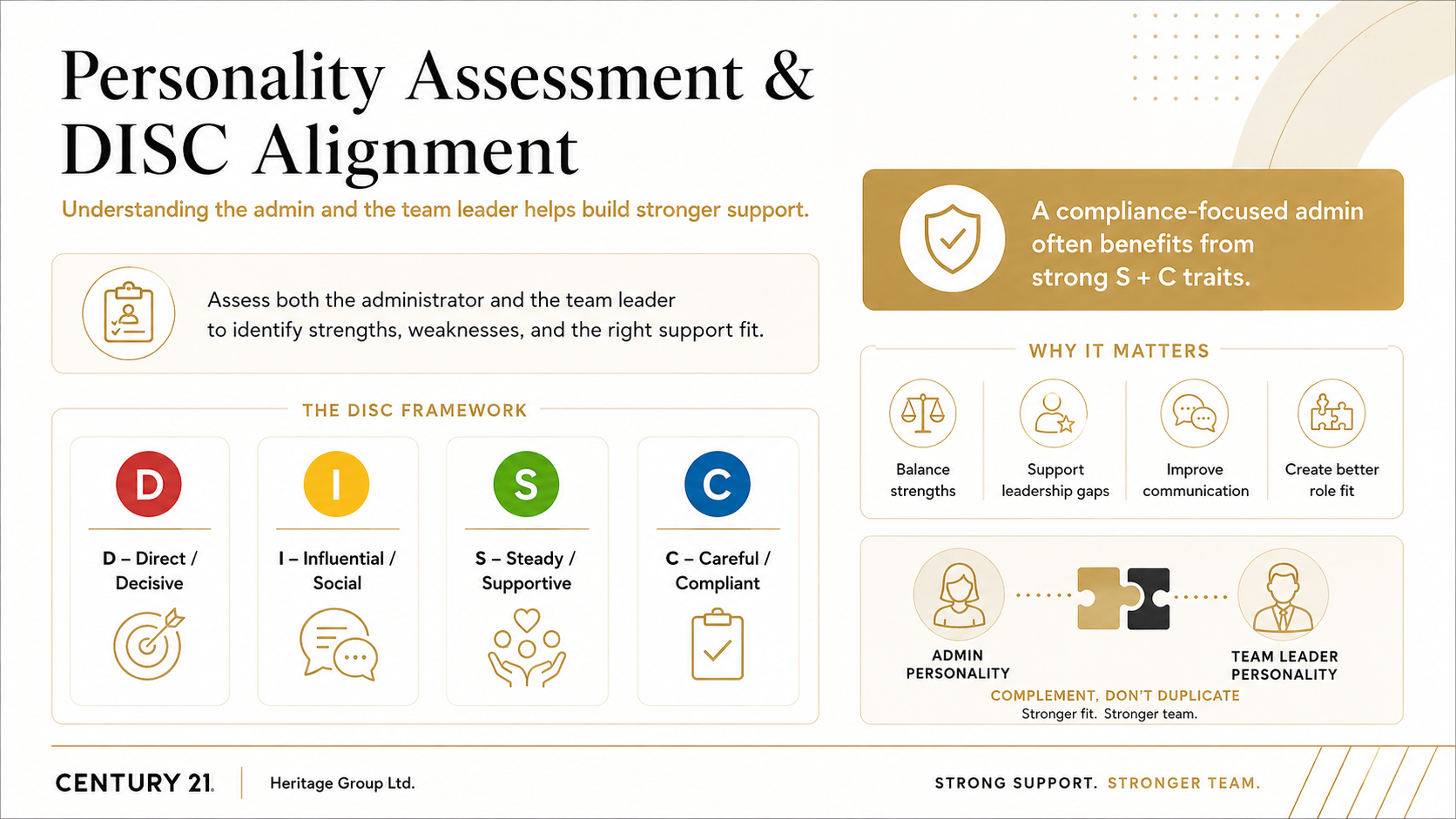
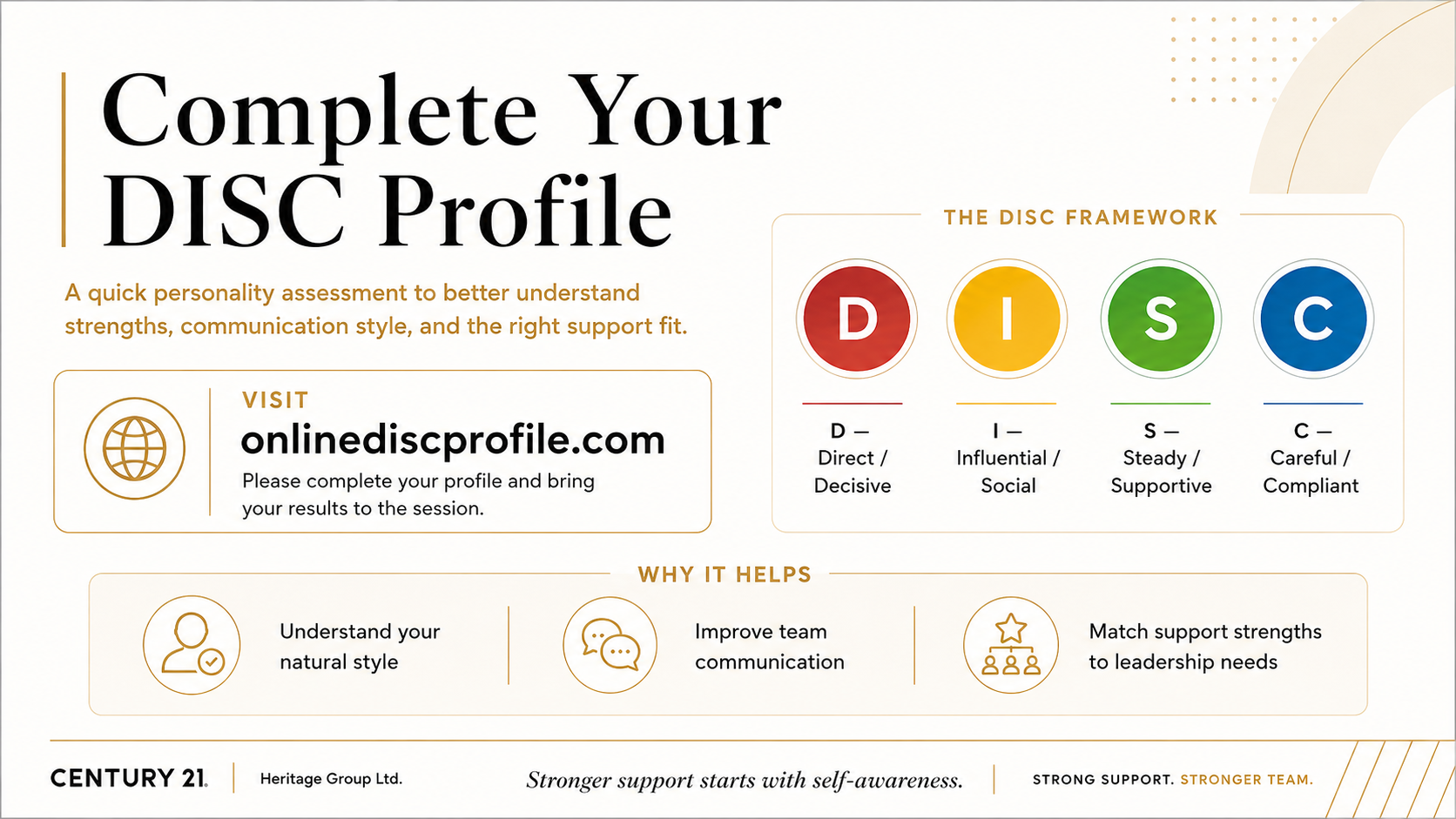
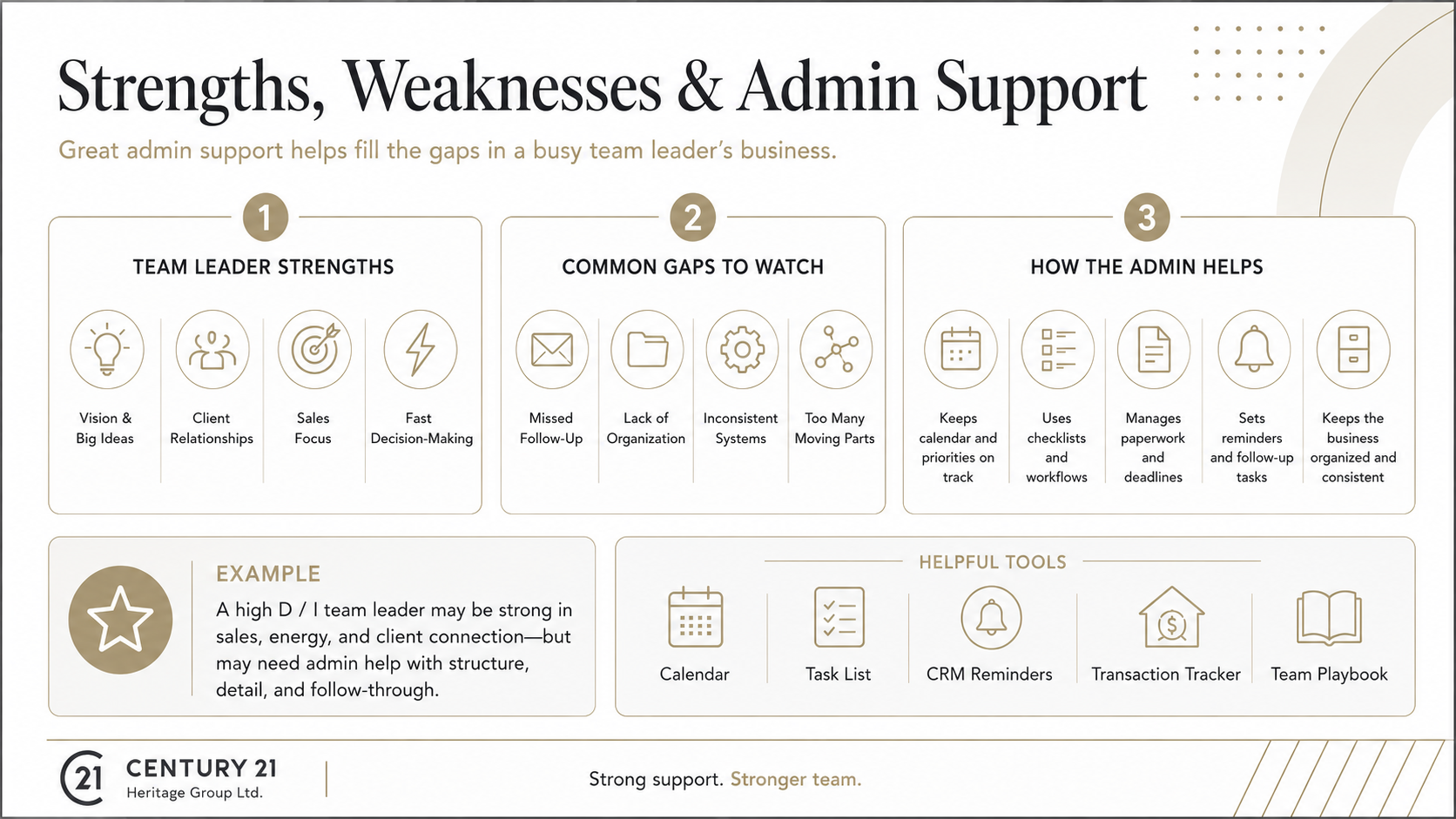
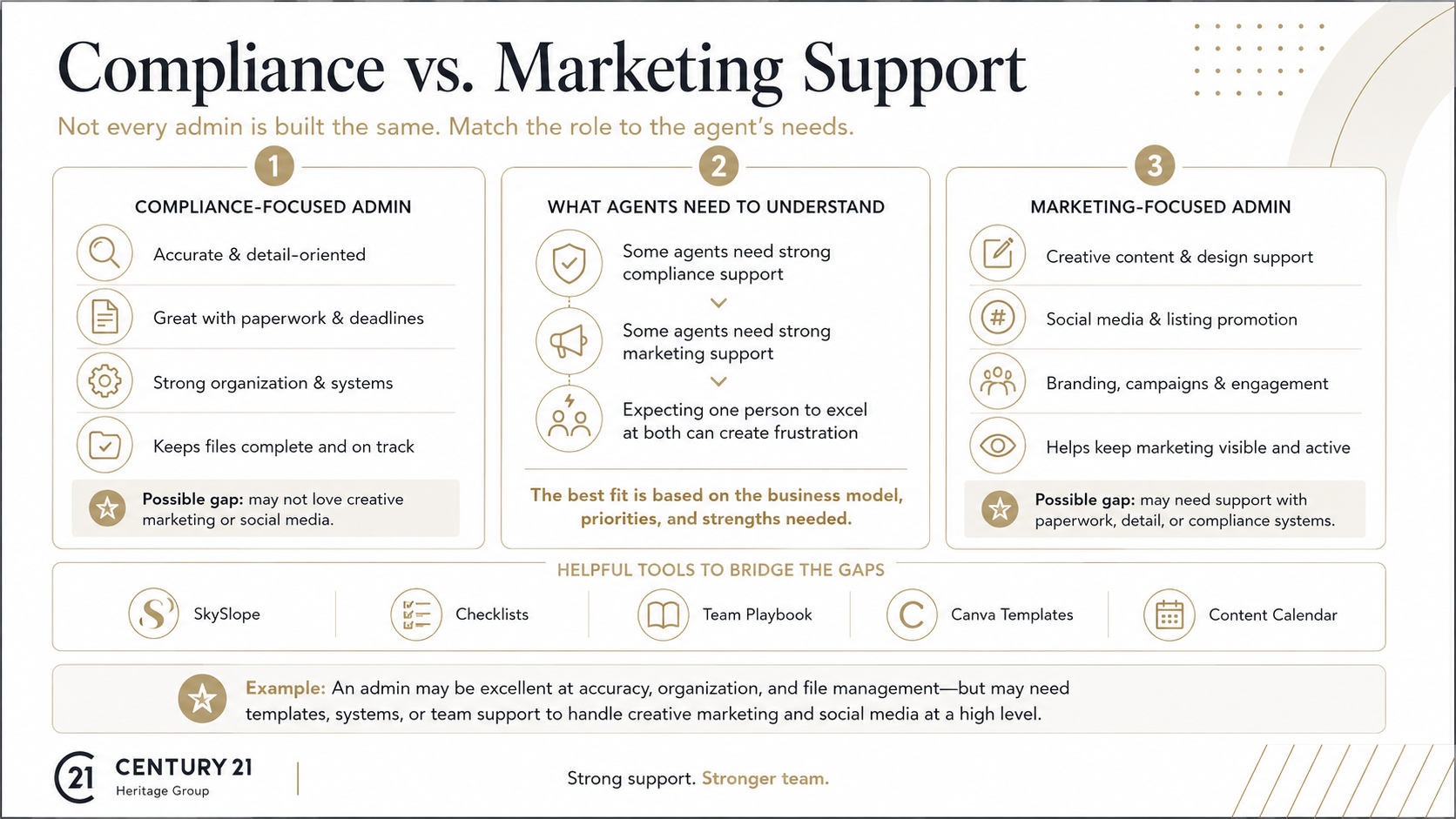
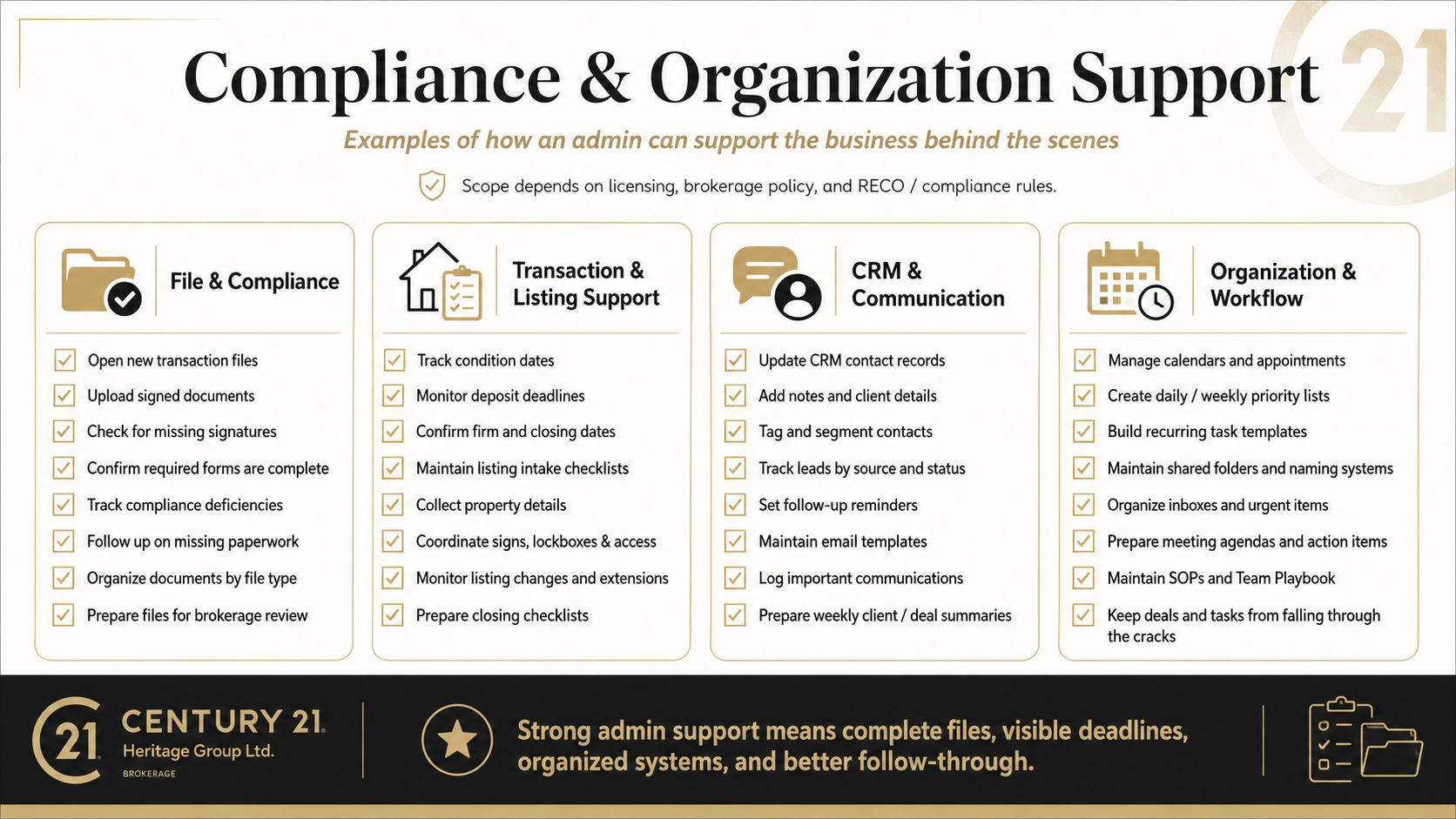
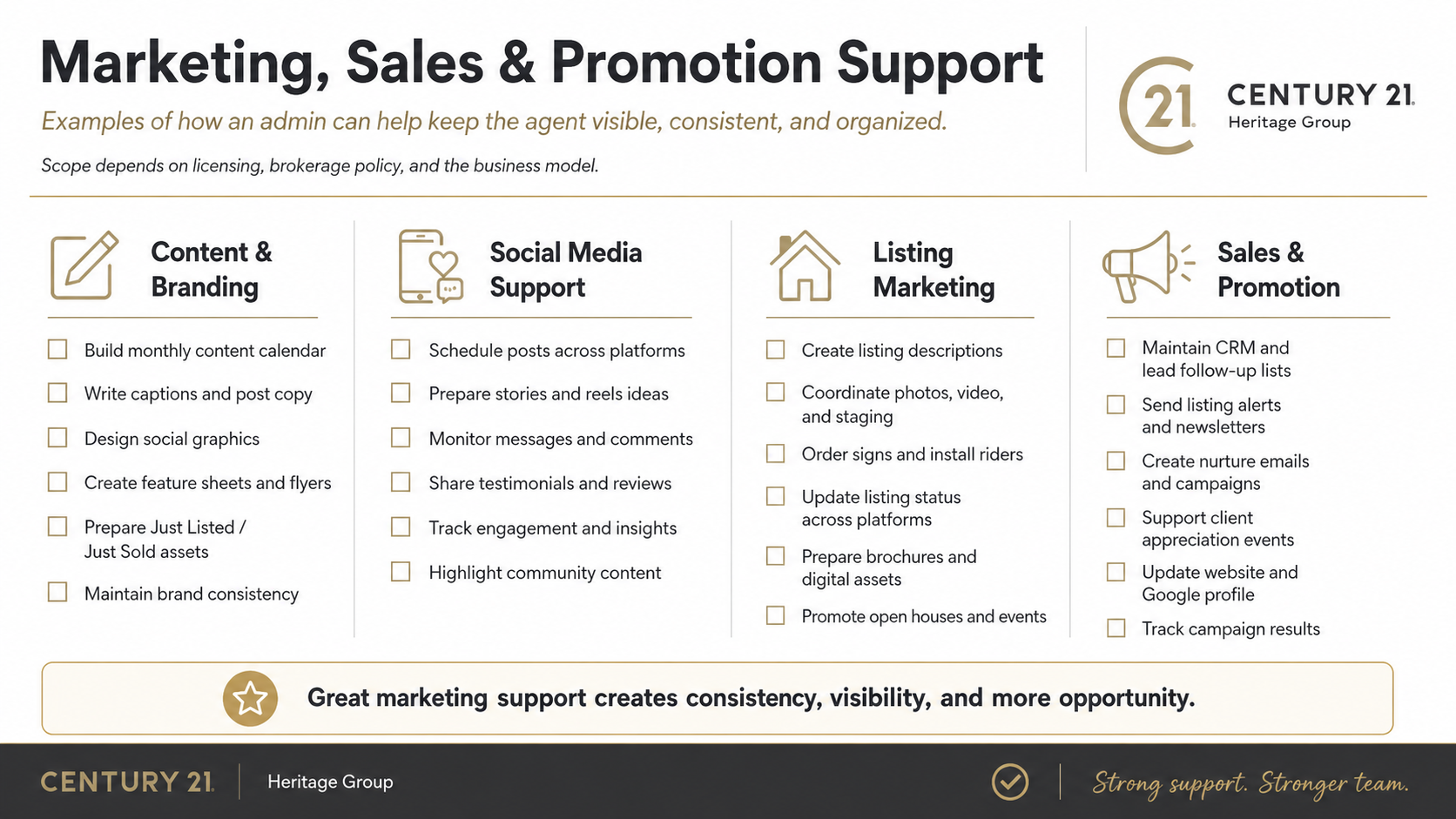
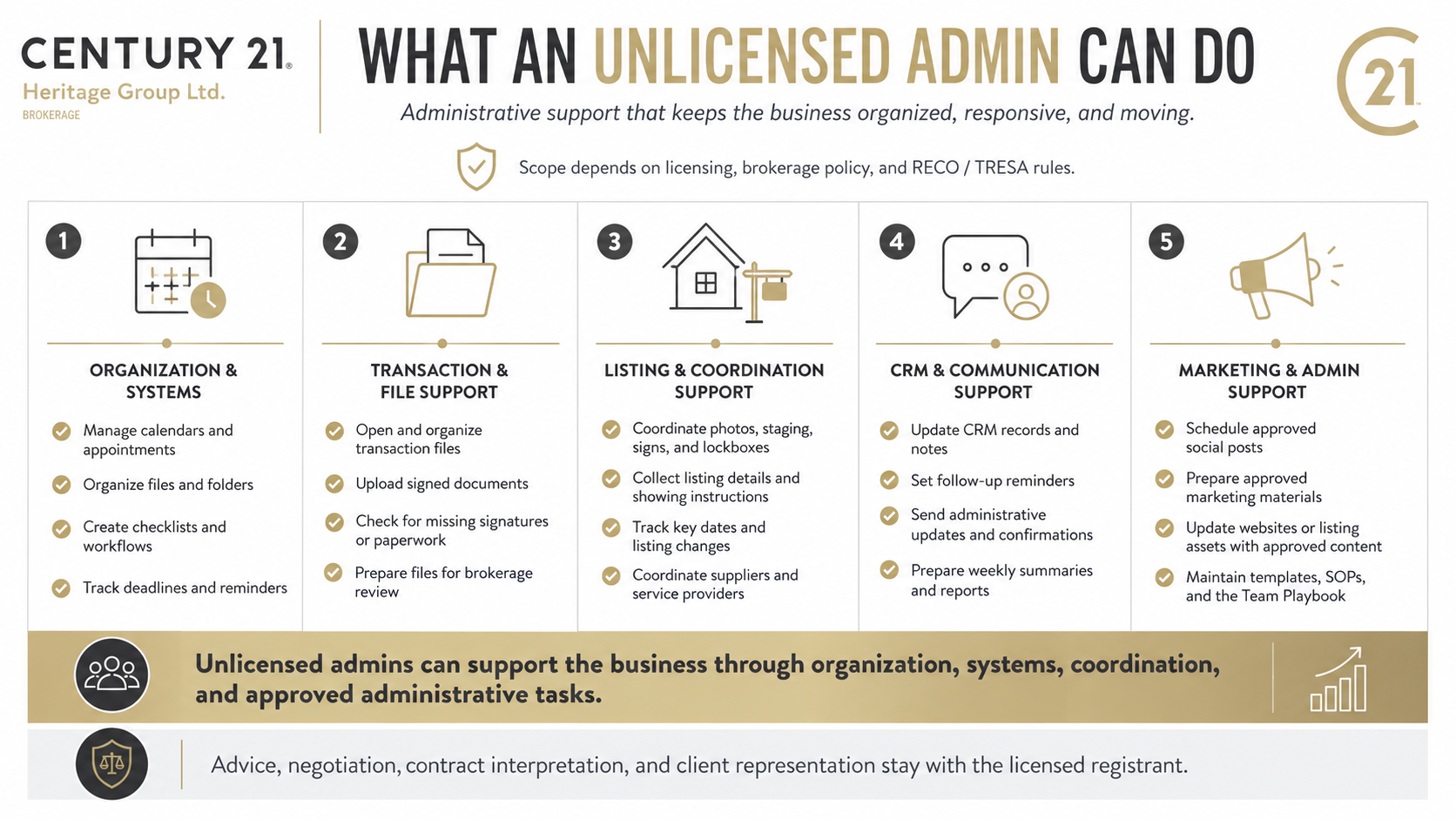
##### This first session of the **Agent Administration Program** provides a practical overview of how administrative support can strengthen an agent’s business. It explores the roles and responsibilities of both licensed and unlicensed administrators, including the types of tasks each may perform and the important differences between them.
##### This section is designed to serve as a foundational resource for agents who currently work with an administrator or are considering adding administrative support to their business. The accompanying video content will also be available for agents who would like a more detailed explanation of the material.
\_\_\_\_\_\_\_\_\_\_\_\_\_\_\_\_\_\_\_\_\_\_
[](https://team.heritageplaybook.ca/uploads/images/gallery/2026-06/chatgpt-image-jun-5-2026-at-03-52-54-pm.png)
---
[](https://team.heritageplaybook.ca/uploads/images/gallery/2026-06/chatgpt-image-jun-5-2026-at-04-11-25-pm.png)
---
[](https://team.heritageplaybook.ca/uploads/images/gallery/2026-06/chatgpt-image-jun-6-2026-at-09-46-55-pm.png)
---
[](https://team.heritageplaybook.ca/uploads/images/gallery/2026-06/chatgpt-image-jun-7-2026-at-08-14-04-pm.png)
---
[](https://team.heritageplaybook.ca/uploads/images/gallery/2026-06/chatgpt-image-jun-7-2026-at-08-27-24-pm.png)
---
[](https://team.heritageplaybook.ca/uploads/images/gallery/2026-06/chatgpt-image-jun-7-2026-at-08-35-15-pm.png)
[](https://team.heritageplaybook.ca/uploads/images/gallery/2026-06/chatgpt-image-jun-7-2026-at-08-41-00-pm.png)
---
[](https://team.heritageplaybook.ca/uploads/images/gallery/2026-06/chatgpt-image-jun-7-2026-at-08-44-26-pm.png)
---
[](https://team.heritageplaybook.ca/uploads/images/gallery/2026-06/chatgpt-image-jun-7-2026-at-08-50-26-pm.png)
---
[](https://team.heritageplaybook.ca/uploads/images/gallery/2026-06/chatgpt-image-jun-7-2026-at-09-00-53-pm.png)
[](https://team.heritageplaybook.ca/uploads/images/gallery/2026-06/chatgpt-image-jun-7-2026-at-09-06-08-pm.png)
---
[](https://team.heritageplaybook.ca/uploads/images/gallery/2026-06/chatgpt-image-jun-7-2026-at-09-12-58-pm.png)
[](https://team.heritageplaybook.ca/uploads/images/gallery/2026-06/chatgpt-image-jun-7-2026-at-09-22-55-pm.png)
---
[](https://team.heritageplaybook.ca/uploads/images/gallery/2026-06/chatgpt-image-jun-7-2026-at-09-30-49-pm.png)
---
# Team Communication
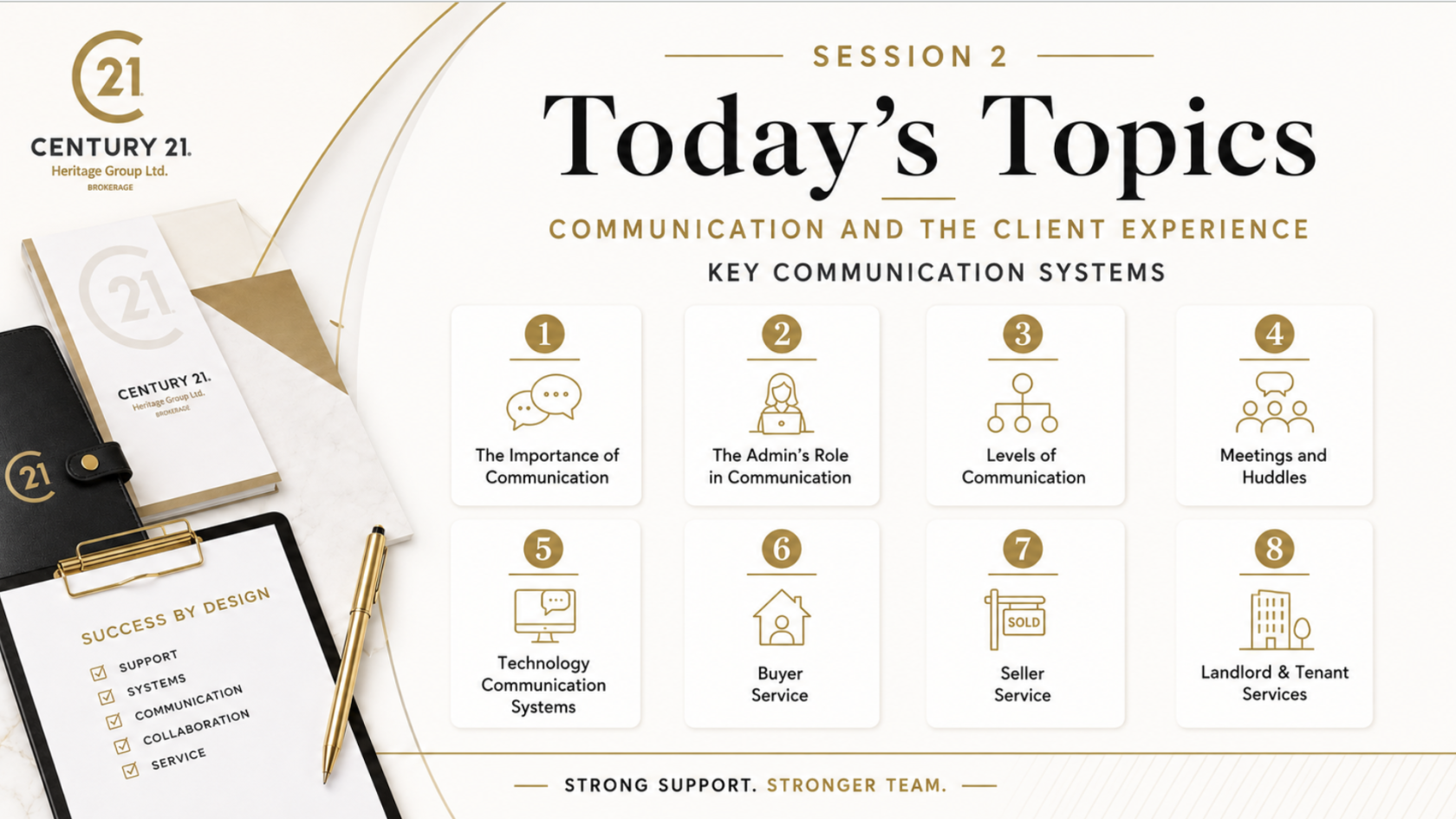
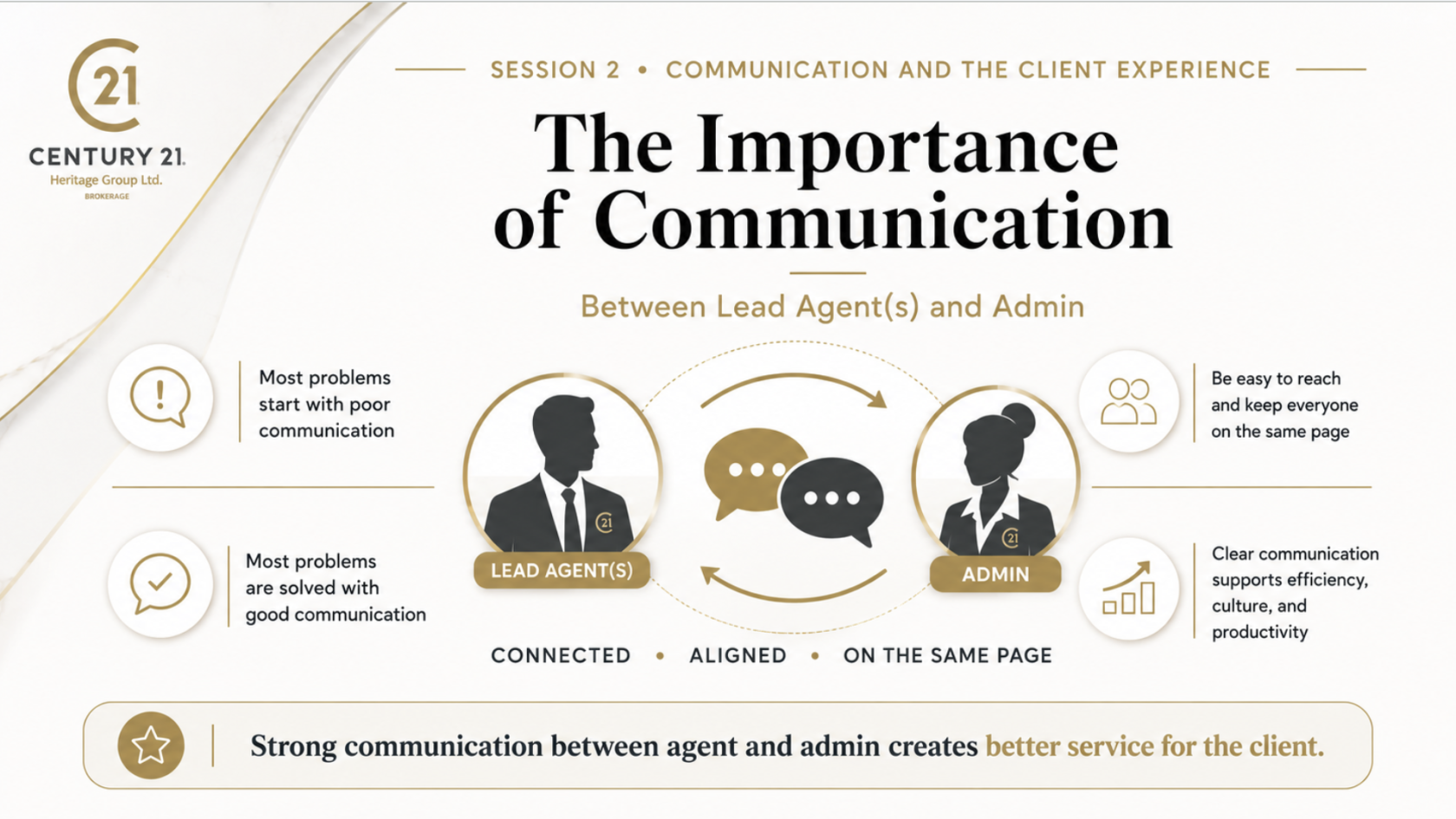
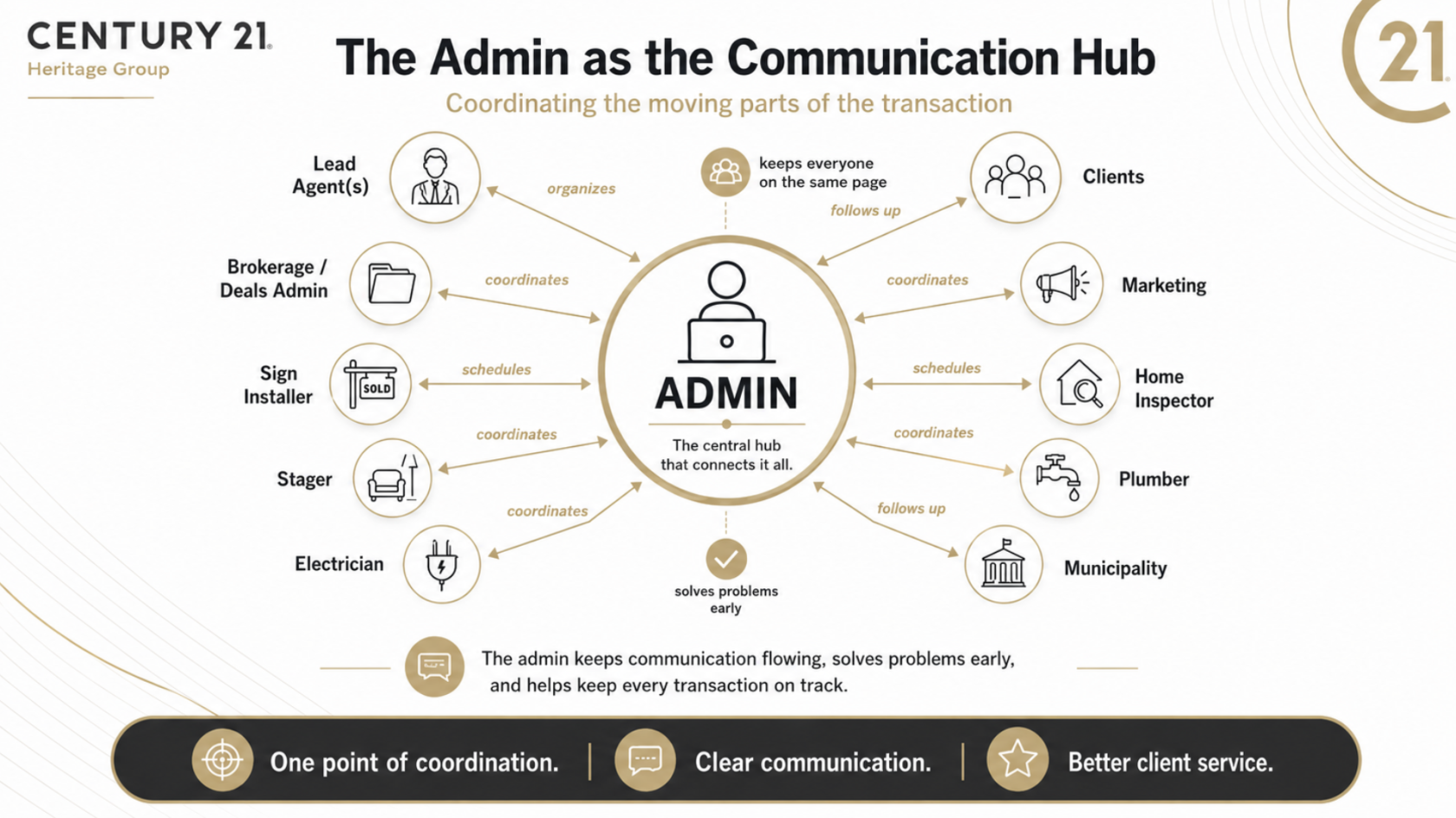
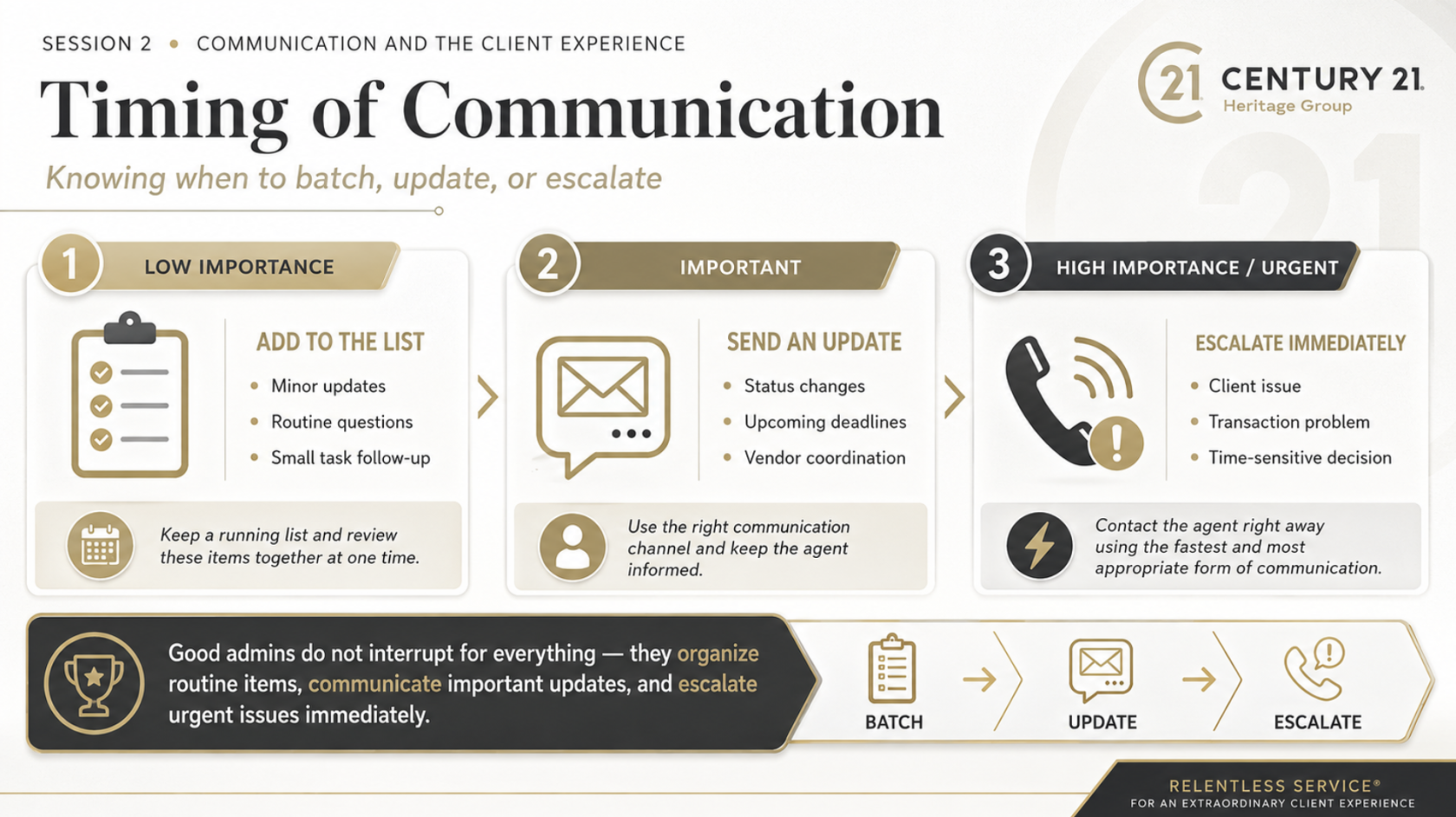
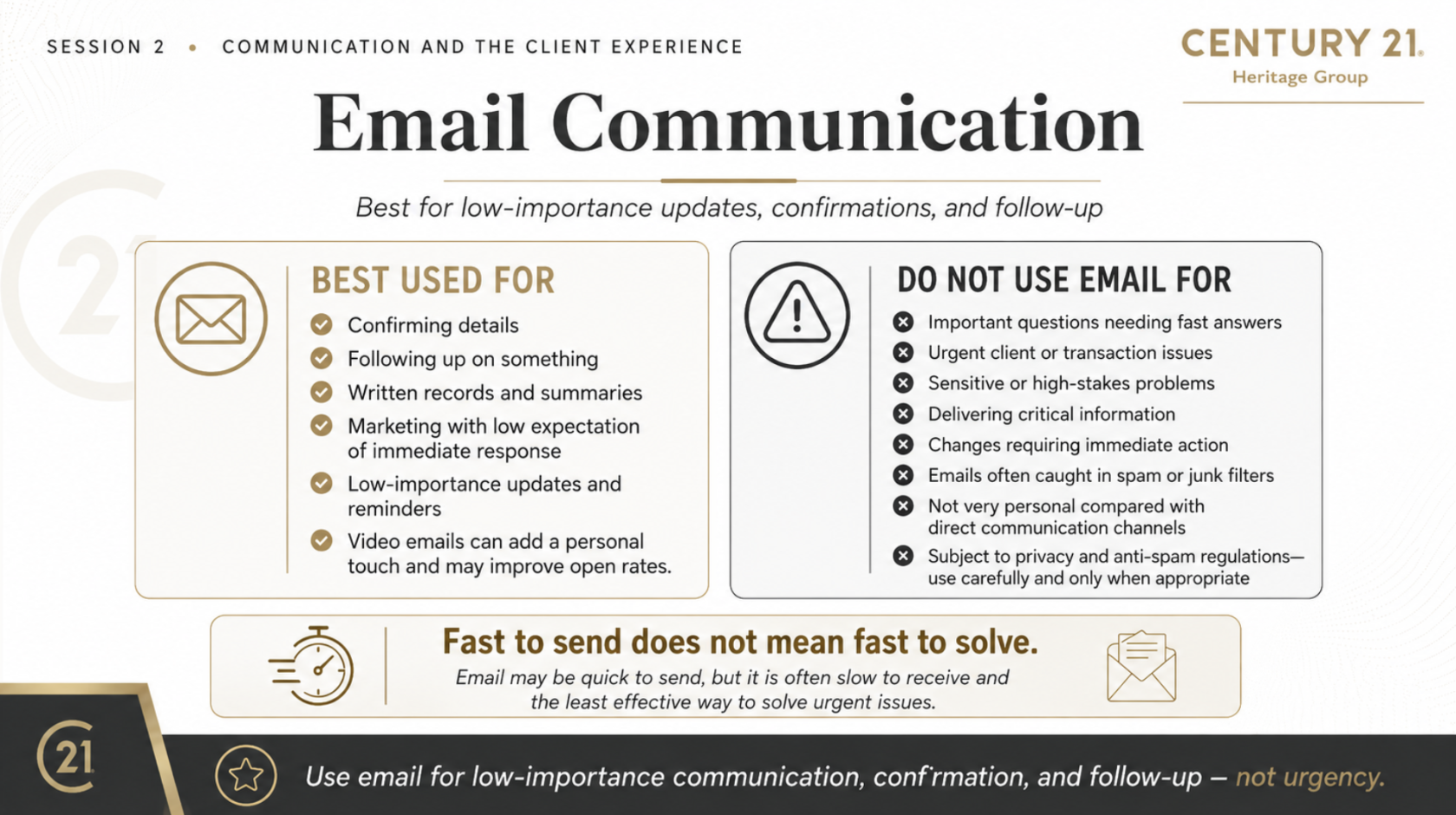
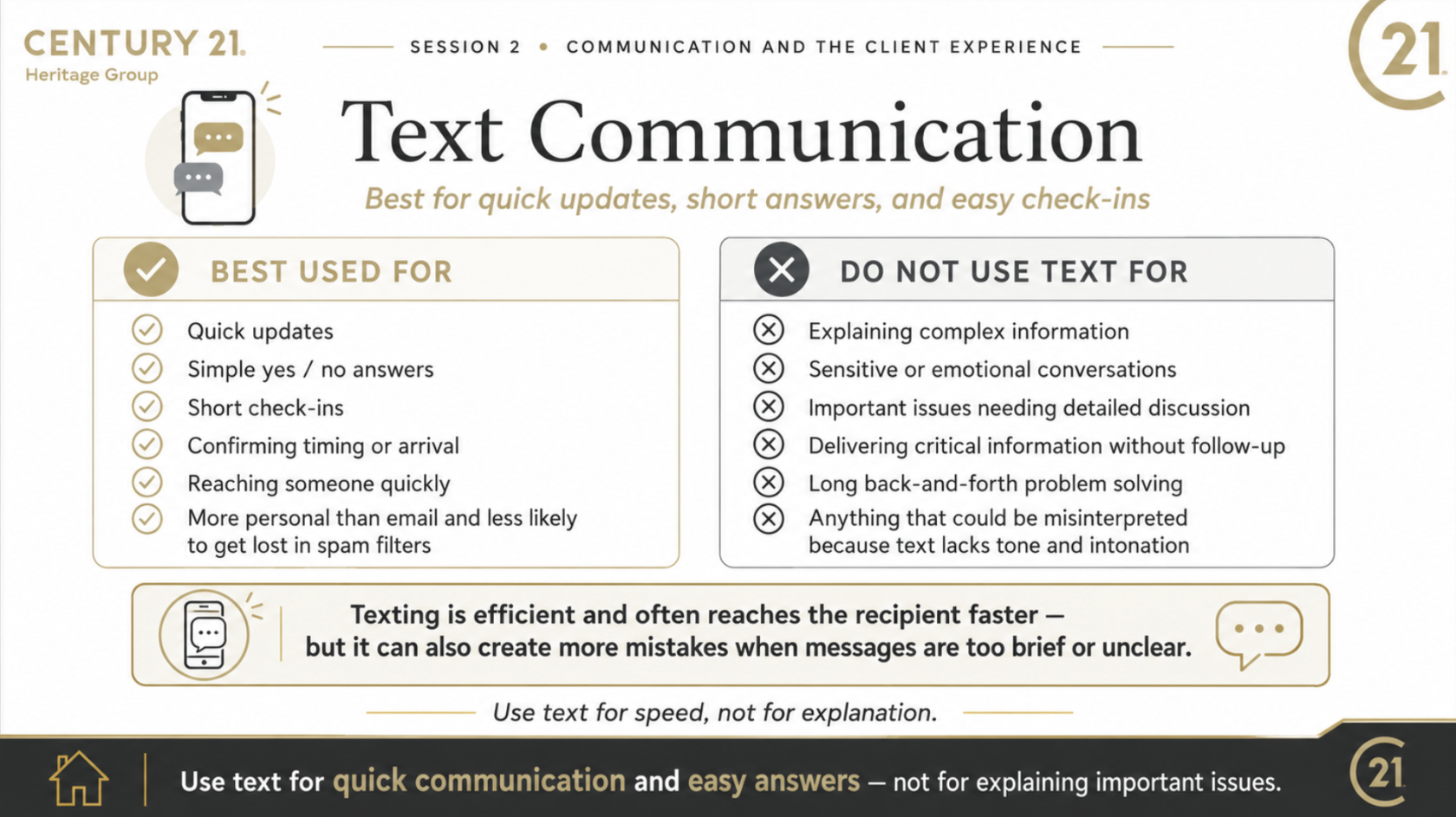
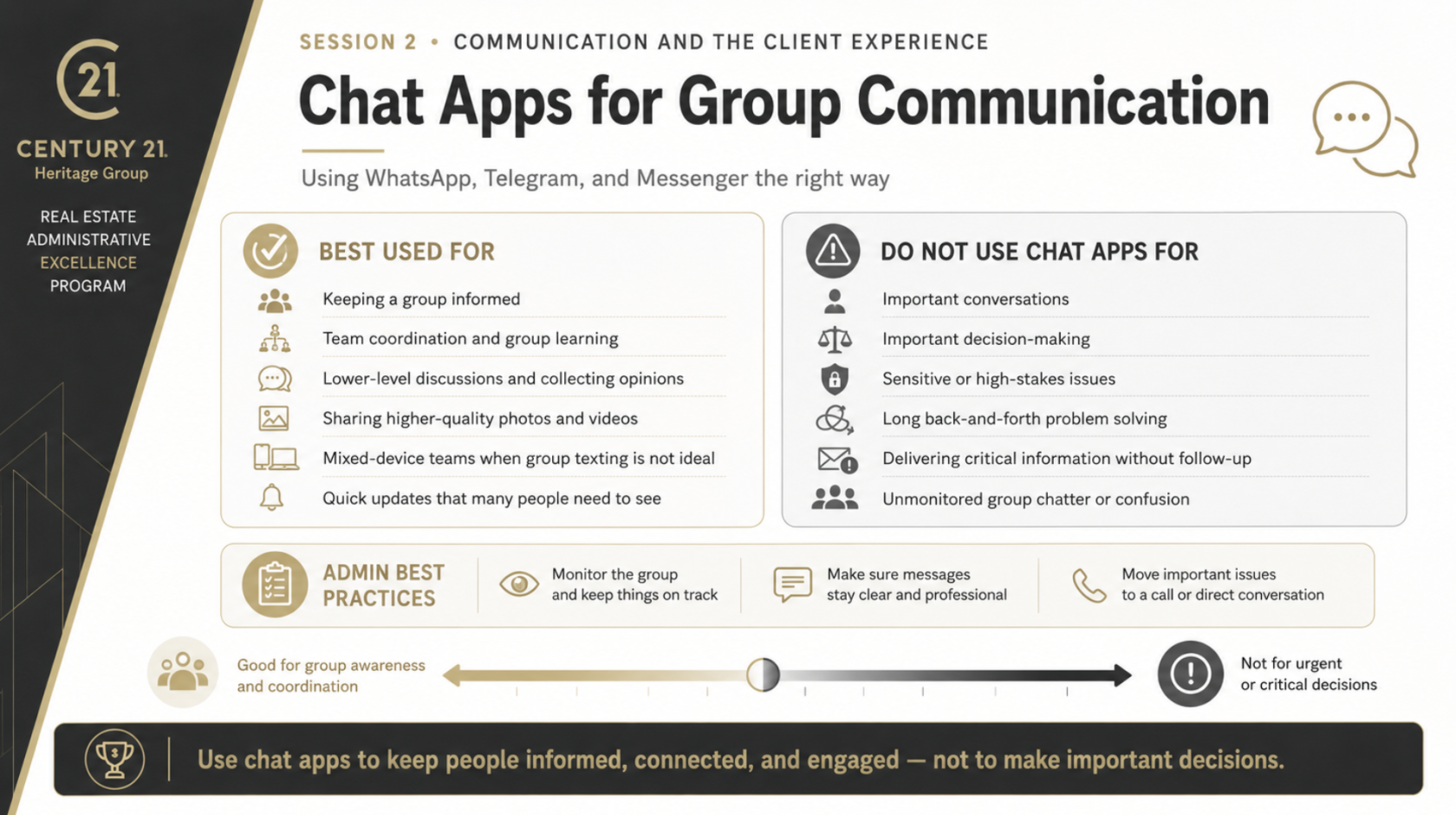
Communication is at the centre of every successful real estate business. As an administrator, you are often the connection point between the lead agent, clients, team members, the brokerage, and the many professionals involved in a transaction.
Strong communication prevents small issues from becoming larger problems. It keeps priorities clear, creates a more positive team culture, improves efficiency, and directly shapes the experience each client receives.
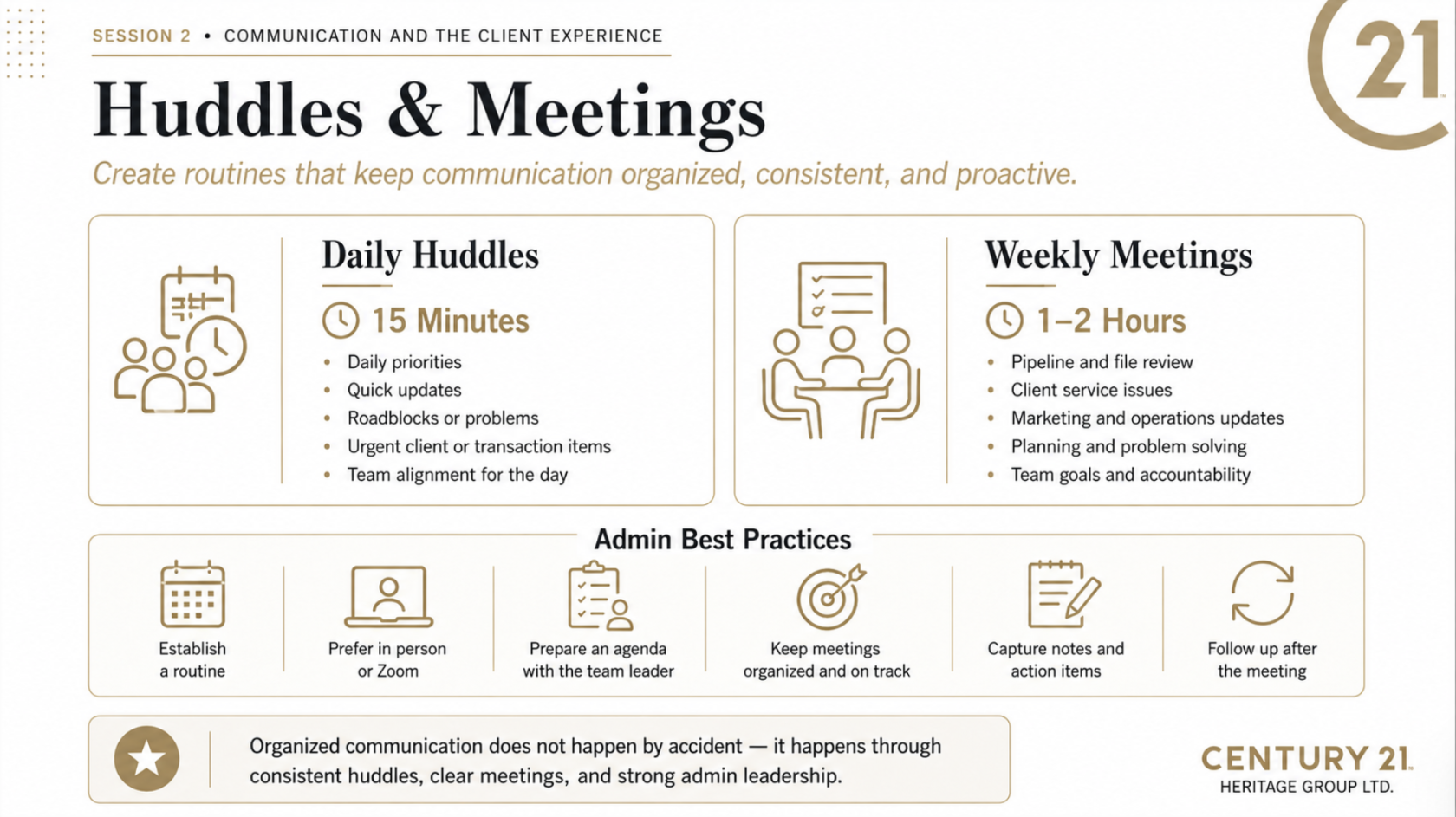
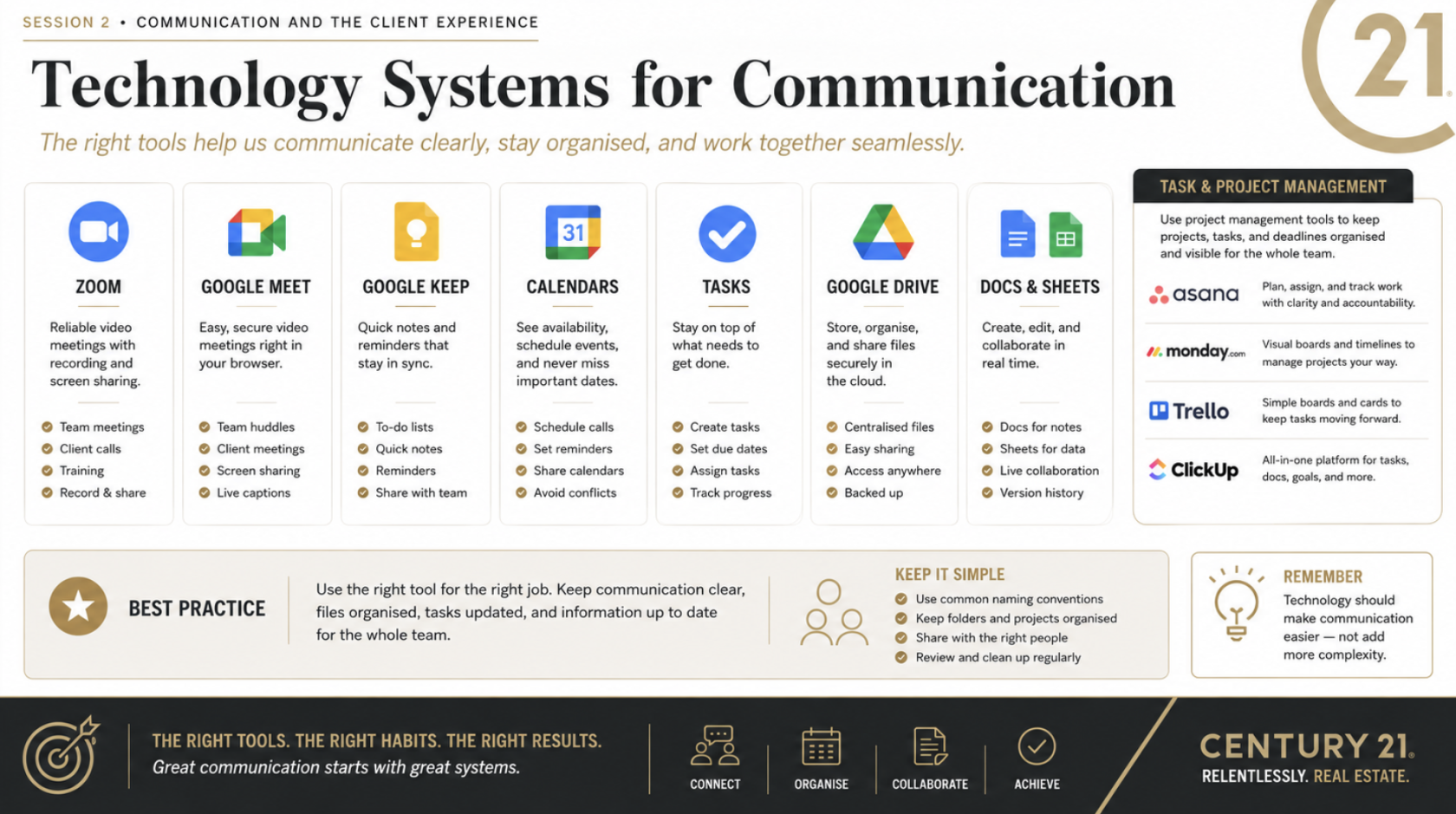
In this session, we will focus on choosing the right communication method, setting clear expectations, creating consistent huddles and meetings, using technology to stay organized, and supporting buyers, sellers, landlords, and tenants from start to finish.
The goal is simple: keep everyone informed, keep the transaction moving, and make every client feel supported.
---
[](https://team.heritageplaybook.ca/uploads/images/gallery/2026-06/screenshot-2026-06-22-at-9-22-36-am.png)
---
[](https://team.heritageplaybook.ca/uploads/images/gallery/2026-06/screenshot-2026-06-22-at-9-22-41-am.png)
---
---
---
[](https://team.heritageplaybook.ca/uploads/images/gallery/2026-06/screenshot-2026-06-22-at-9-22-48-am.png)
---
[](https://team.heritageplaybook.ca/uploads/images/gallery/2026-06/screenshot-2026-06-22-at-9-22-54-am.png)
---
[](https://team.heritageplaybook.ca/uploads/images/gallery/2026-06/screenshot-2026-06-22-at-9-23-01-am.png)
---
[](https://team.heritageplaybook.ca/uploads/images/gallery/2026-06/screenshot-2026-06-22-at-9-23-08-am.png)
---
[](https://team.heritageplaybook.ca/uploads/images/gallery/2026-06/screenshot-2026-06-22-at-9-23-14-am.png)
---
[](https://team.heritageplaybook.ca/uploads/images/gallery/2026-06/screenshot-2026-06-22-at-9-23-20-am.png)
---
[](https://team.heritageplaybook.ca/uploads/images/gallery/2026-06/screenshot-2026-06-22-at-9-23-27-am.png)
---
[](https://team.heritageplaybook.ca/uploads/images/gallery/2026-06/screenshot-2026-06-22-at-9-23-33-am.png)
---
[](https://team.heritageplaybook.ca/uploads/images/gallery/2026-06/screenshot-2026-06-22-at-9-23-40-am.png)
---
[](https://team.heritageplaybook.ca/uploads/images/gallery/2026-06/screenshot-2026-06-22-at-9-23-45-am.png)
---
[](https://team.heritageplaybook.ca/uploads/images/gallery/2026-06/screenshot-2026-06-22-at-9-23-51-am.png)
---
[](https://team.heritageplaybook.ca/uploads/images/gallery/2026-06/screenshot-2026-06-22-at-9-23-57-am.png)
---
[](https://team.heritageplaybook.ca/uploads/images/gallery/2026-06/screenshot-2026-06-22-at-9-24-03-am.png)
---
[](https://team.heritageplaybook.ca/uploads/images/gallery/2026-06/screenshot-2026-06-22-at-9-24-09-am.png)
---
[](https://team.heritageplaybook.ca/uploads/images/gallery/2026-06/screenshot-2026-06-22-at-9-24-17-am.png)
---
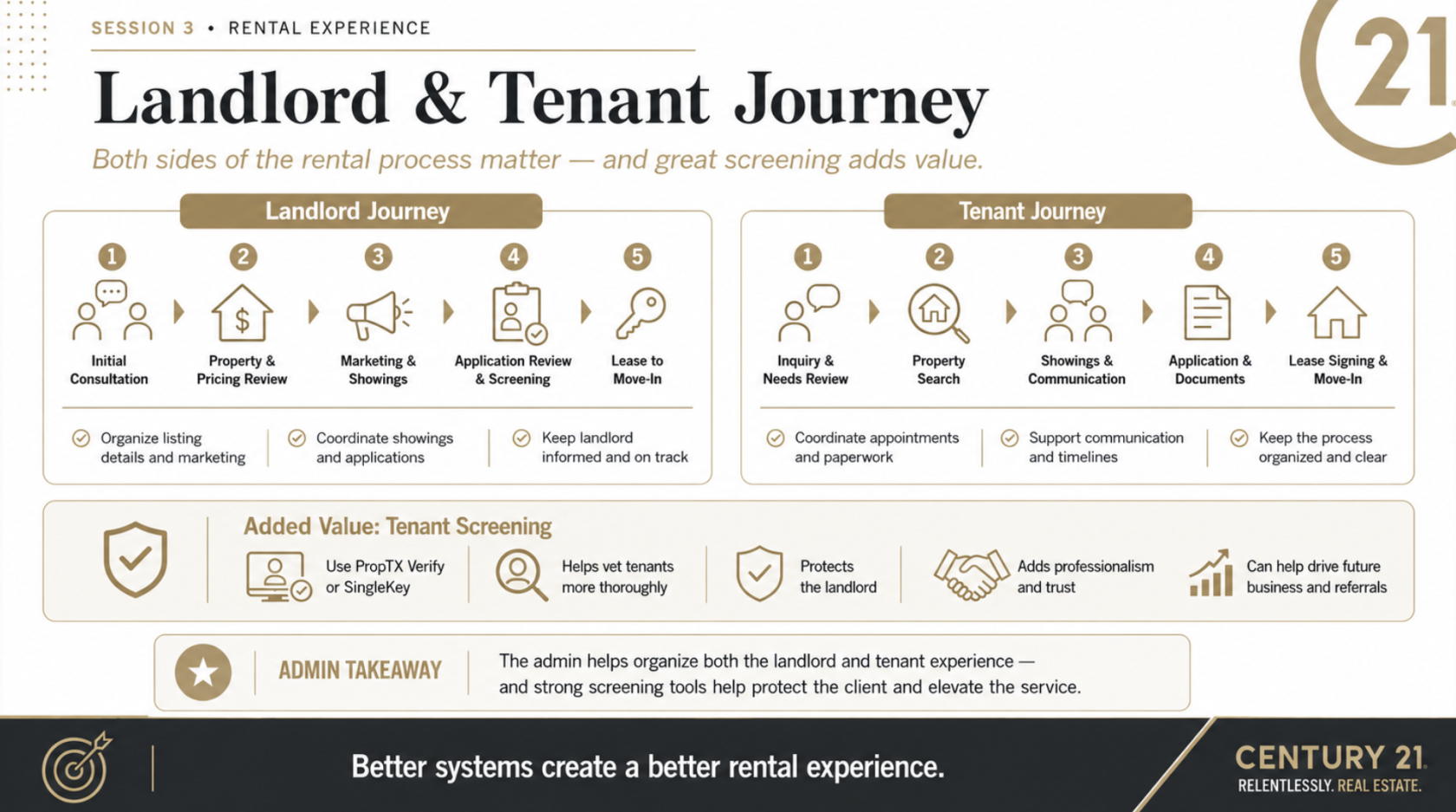
# The Service Journey for Buyers, Sellers, Landlords and Tenants
Communication is at the centre of every successful real estate business. As an administrator, you are often the connection point between the lead agent, clients, team members, the brokerage, and the many professionals involved in a transaction.
Strong communication prevents small issues from becoming larger problems. It keeps priorities clear, creates a more positive team culture, improves efficiency, and directly shapes the experience each client receives.
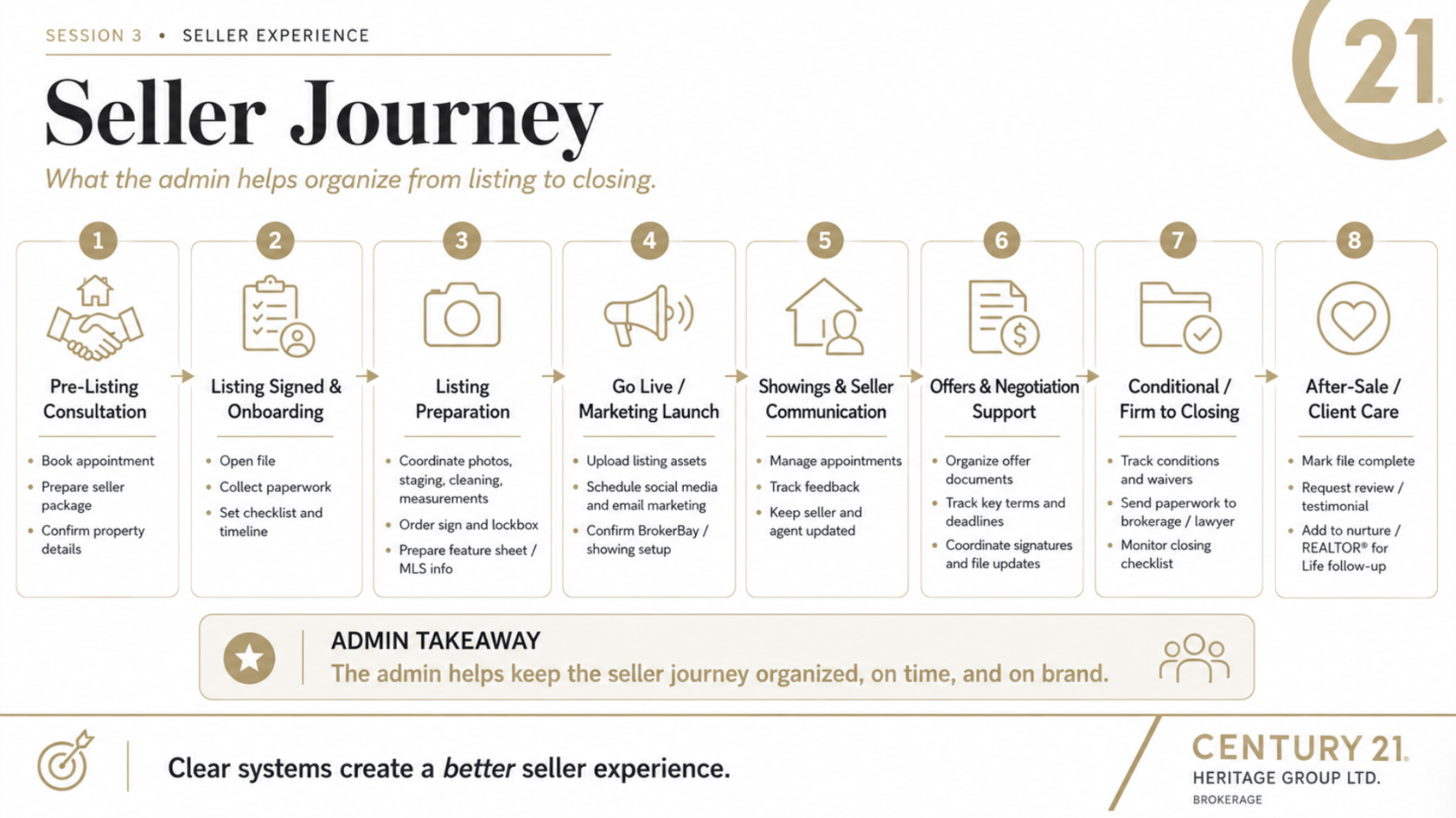
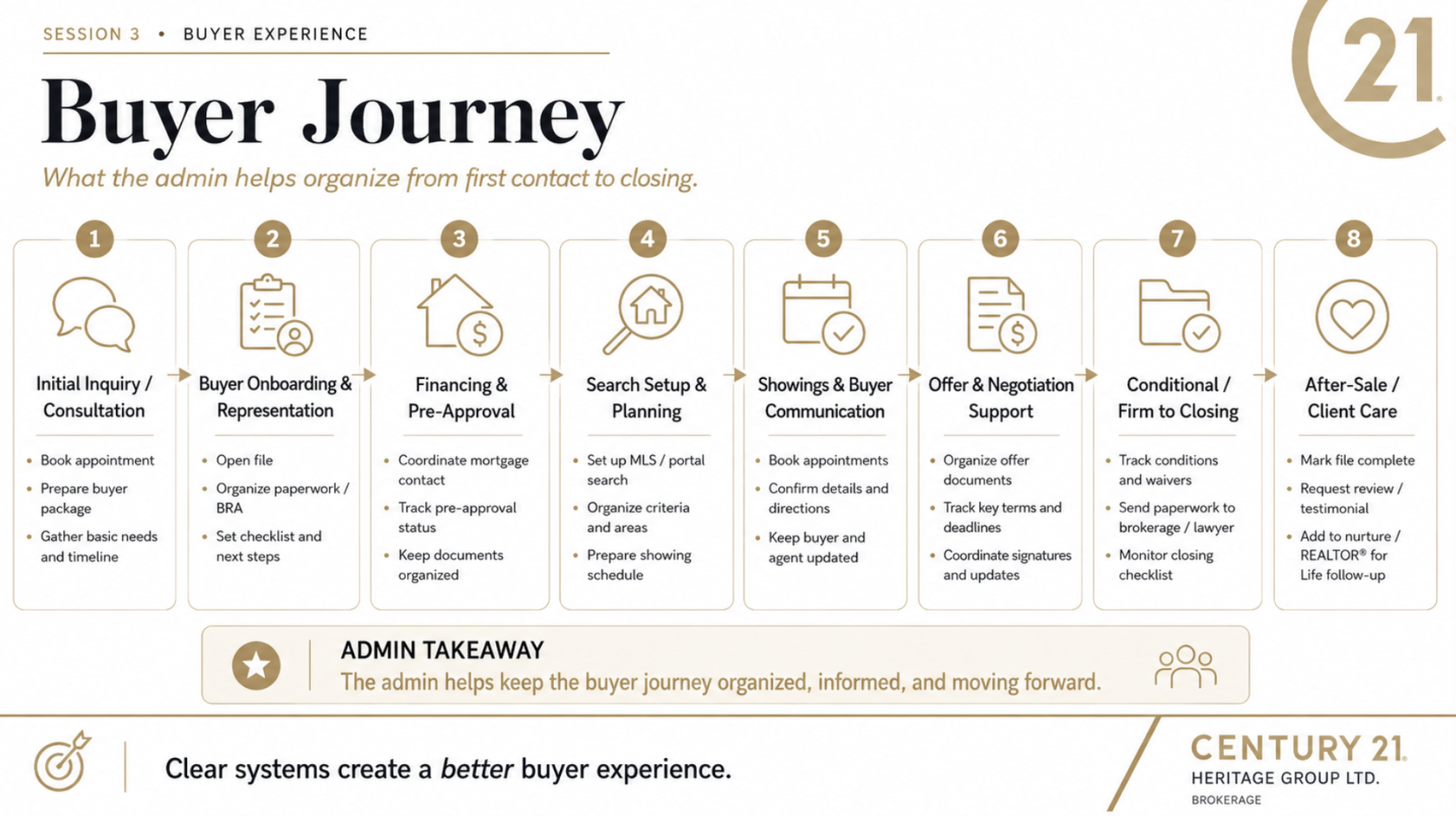
In this session, we will focus on choosing the right communication method, setting clear expectations, creating consistent huddles and meetings, using technology to stay organized, and supporting buyers, sellers, landlords, and tenants from start to finish.
The goal is simple: keep everyone informed, keep the transaction moving, and make every client feel supported.
---
[](https://team.heritageplaybook.ca/uploads/images/gallery/2026-06/screenshot-2026-06-22-at-9-24-09-am.png)
---
[](https://team.heritageplaybook.ca/uploads/images/gallery/2026-06/screenshot-2026-06-22-at-9-24-03-am.png)
---
[](https://team.heritageplaybook.ca/uploads/images/gallery/2026-06/screenshot-2026-06-22-at-9-24-17-am.png)
# Forms
This Section is to give an overview of the forms
# Listing Forms
Accurate forms, clauses, and checklists are essential to keeping every transaction organized, compliant, and moving forward. Administrators play an important role in ensuring the correct documents are prepared, completed, submitted, and tracked at the right stage of the deal.
The Team Playbook includes dedicated sections for listing, buyer, landlord, and tenant transactions, along with forms and clause resources, templates, checklists, and standard procedures. Use these resources as a reference when preparing a file, confirming requirements, or supporting an agent through a transaction.
When in doubt, refer to the appropriate Team Playbook section and confirm the next step before proceeding.
[](https://team.heritageplaybook.ca/uploads/images/gallery/2026-06/screenshot-2026-06-22-at-11-03-58-am.png)
---
[](https://team.heritageplaybook.ca/uploads/images/gallery/2026-06/screenshot-2026-06-22-at-11-04-11-am.png)
---
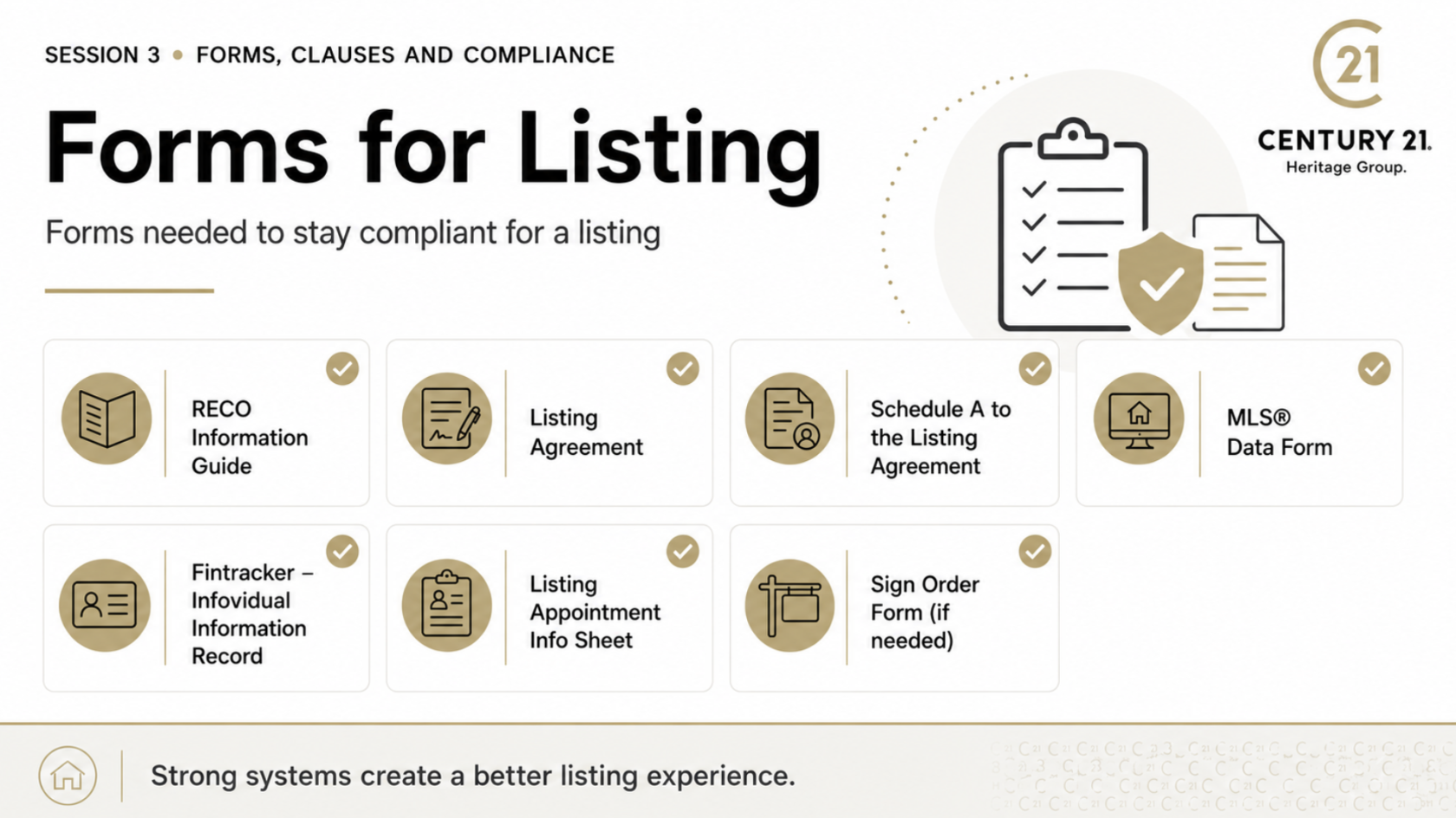
#### **These are the forms that will be needed to stay complaint for a Listing;**
- [ ] RECO Information Brochure
- [ ] Listing Agreement
- [ ] Schedule A to the using agreement
- [ ] MLS® Data Form
- [ ] Fintracker- Individual Information Record
- [ ] Listing Appointment Info Sheet
- [ ] Sign Order Form (if needed)
- [ ] Schedule B for the Agreement Of Purchase and sale
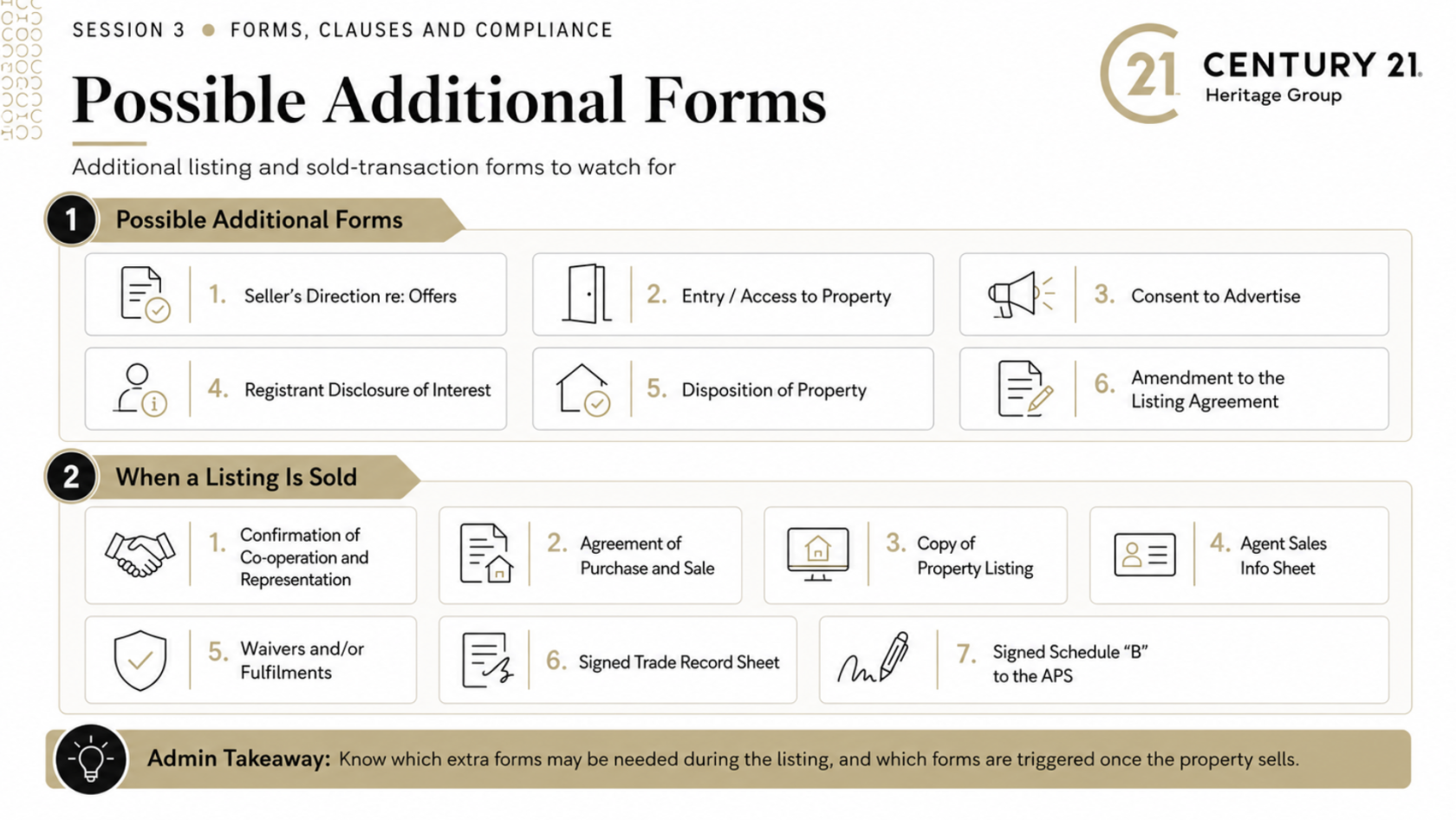
#### **Additional Forms need when the listing has sold;**
- [ ] Sellers Direction of Offers
- [ ] Entry Access to property
- [ ] Consent to Advertise
- [ ] Registrant Disclosure of interest - Disposition of Property
- [ ] Amendment to the listing Agreement
#### **When a listing is sold these additional form will be needed;**
- [ ] Confirmation of Co-op and Representation
- [ ] Agreement of Purchase and Sale
- [ ] Copy of Property Listing
- [ ] Agent Sales Info Sheet
- [ ] Waivers and/or Fulfilments
- [ ] Deposit Receipt
- [ ] Signed Trade Record Sheet
# Buyer Forms
Accurate forms, clauses, and checklists are essential to keeping every transaction organized, compliant, and moving forward. Administrators play an important role in ensuring the correct documents are prepared, completed, submitted, and tracked at the right stage of the deal.
The Team Playbook includes dedicated sections for listing, buyer, landlord, and tenant transactions, along with forms and clause resources, templates, checklists, and standard procedures. Use these resources as a reference when preparing a file, confirming requirements, or supporting an agent through a transaction.
When in doubt, refer to the appropriate Team Playbook section and confirm the next step before proceeding.
[](https://team.heritageplaybook.ca/uploads/images/gallery/2026-06/screenshot-2026-06-22-at-11-05-10-am.png)
---
[](https://team.heritageplaybook.ca/uploads/images/gallery/2026-06/screenshot-2026-06-22-at-11-05-50-am.png)
---
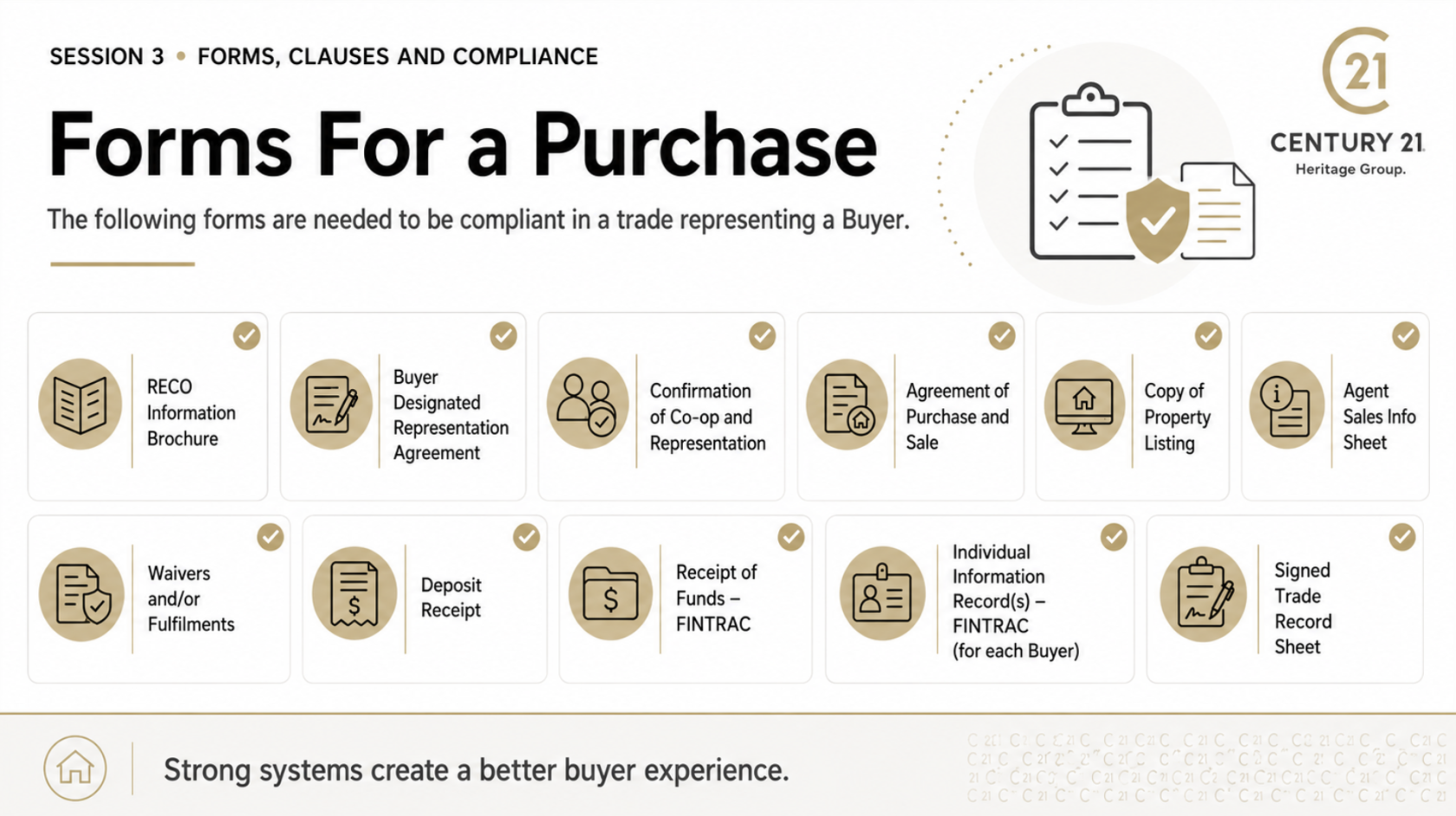
**The following forms are needed to be compliant in a trade representing a Buyer;**
- [ ] Reco Information Brochure
- [ ] Buyer Designated Representation Agreement
- [ ] Confirmation of Co-op and Representation
- [ ] Agreement of Purchase and Sale
- [ ] Copy of Property Listing
- [ ] Agent Sales Info Sheet
- [ ] Waivers and/or Fulfilments
- [ ] Deposit Receipt
- [ ] Receipt of Funds - Fintrac
- [ ] Individual Information Record(s)- Fintrac (for each Buyer)
- [ ] Signed Trade Record Sheet
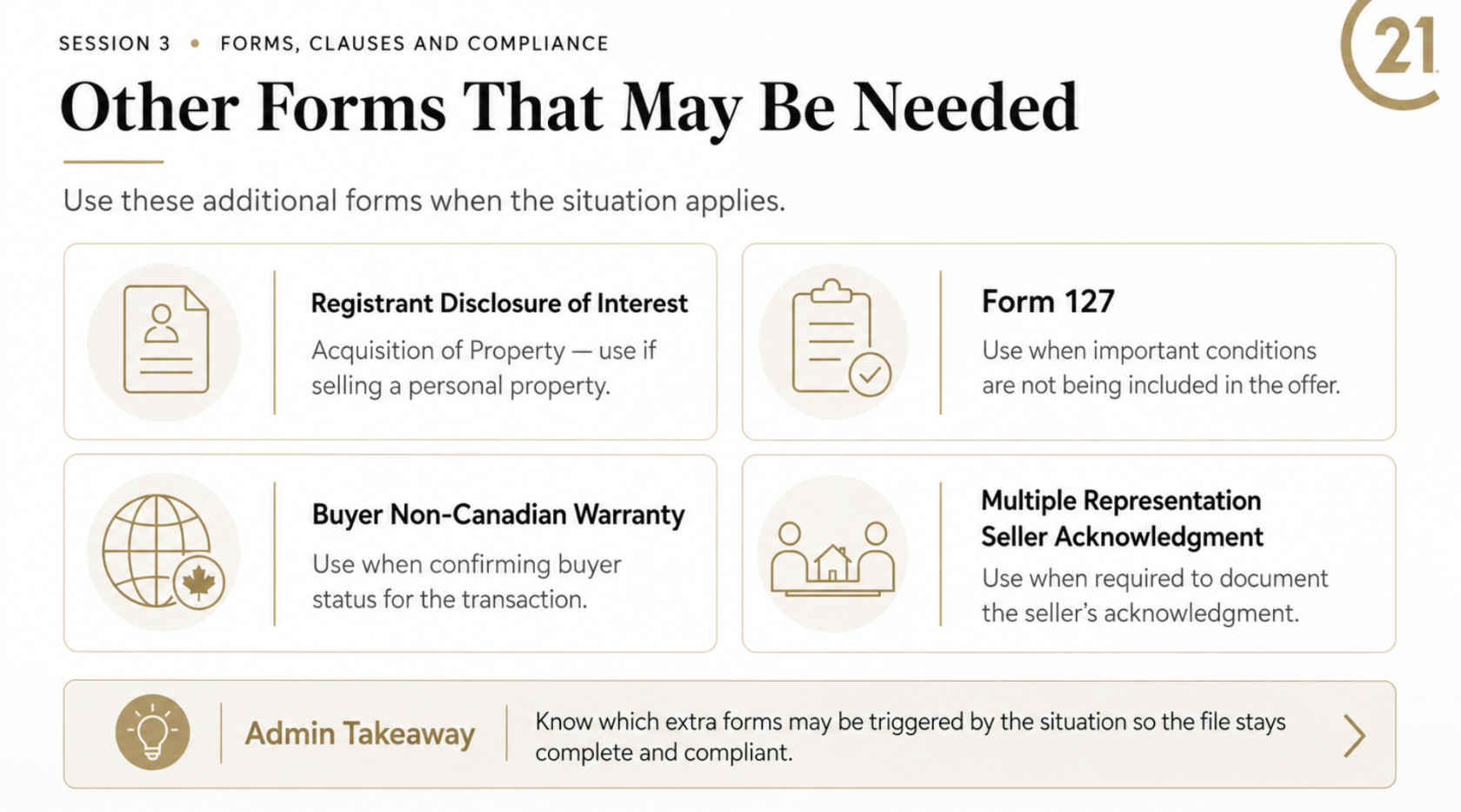
**Other forms may be need if they apply**
- [ ] Registrant Disclosure of interest - Acquisition of Property (if selling a personal property)
- [ ] Form 127 - Conditions in offer (if you are not including an important condition)
- [ ] Buyer Not-Non Canadian Warranty
- [ ] Multiple Representation Seller Acknowledgment
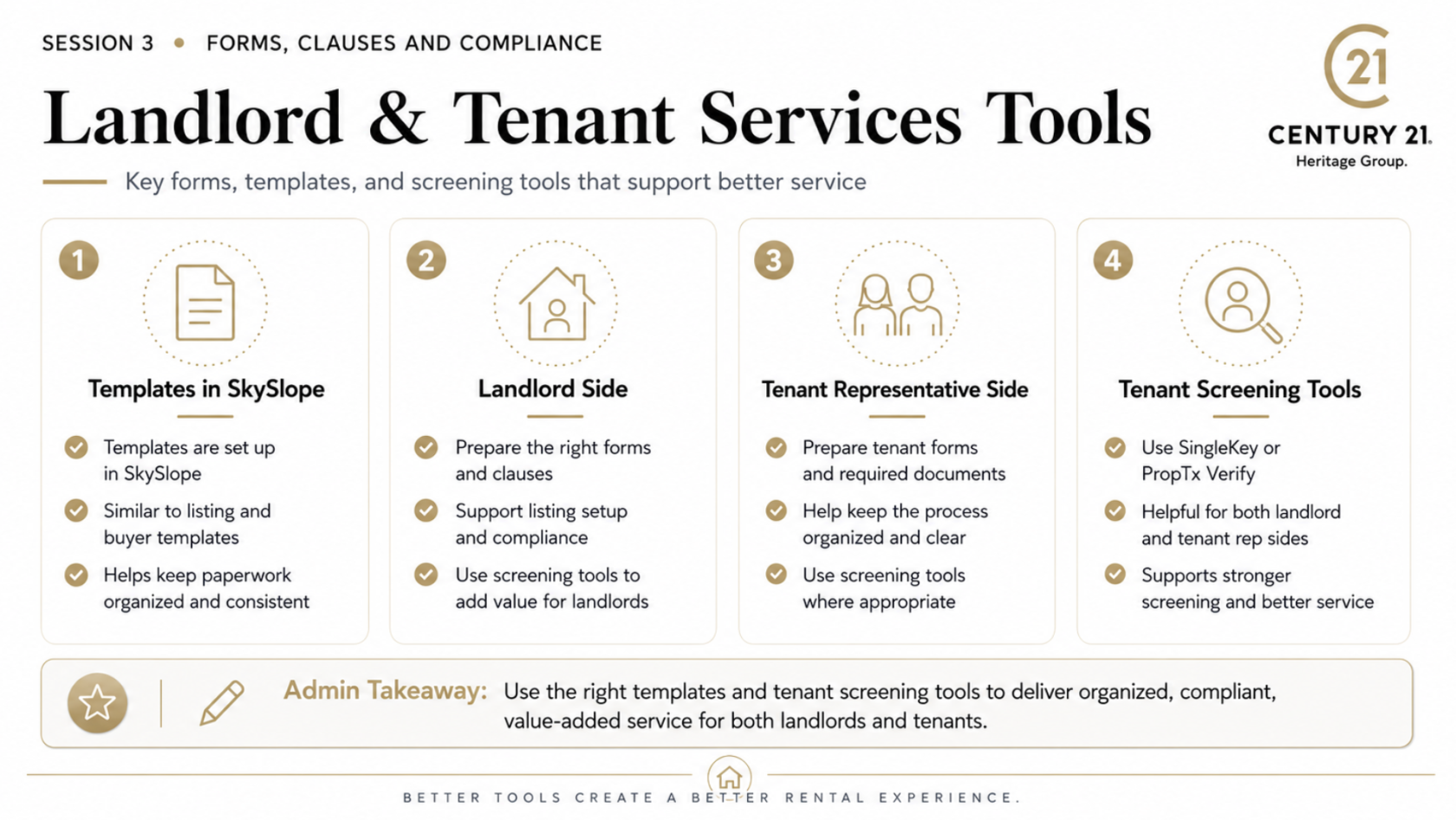
# Landlord Forms
Accurate forms, clauses, and checklists are essential to keeping every transaction organized, compliant, and moving forward. Administrators play an important role in ensuring the correct documents are prepared, completed, submitted, and tracked at the right stage of the deal.
The Team Playbook includes dedicated sections for listing, buyer, landlord, and tenant transactions, along with forms and clause resources, templates, checklists, and standard procedures. Use these resources as a reference when preparing a file, confirming requirements, or supporting an agent through a transaction.
When in doubt, refer to the appropriate Team Playbook section and confirm the next step before proceeding.
[](https://team.heritageplaybook.ca/uploads/images/gallery/2026-06/screenshot-2026-06-22-at-11-06-36-am.png)
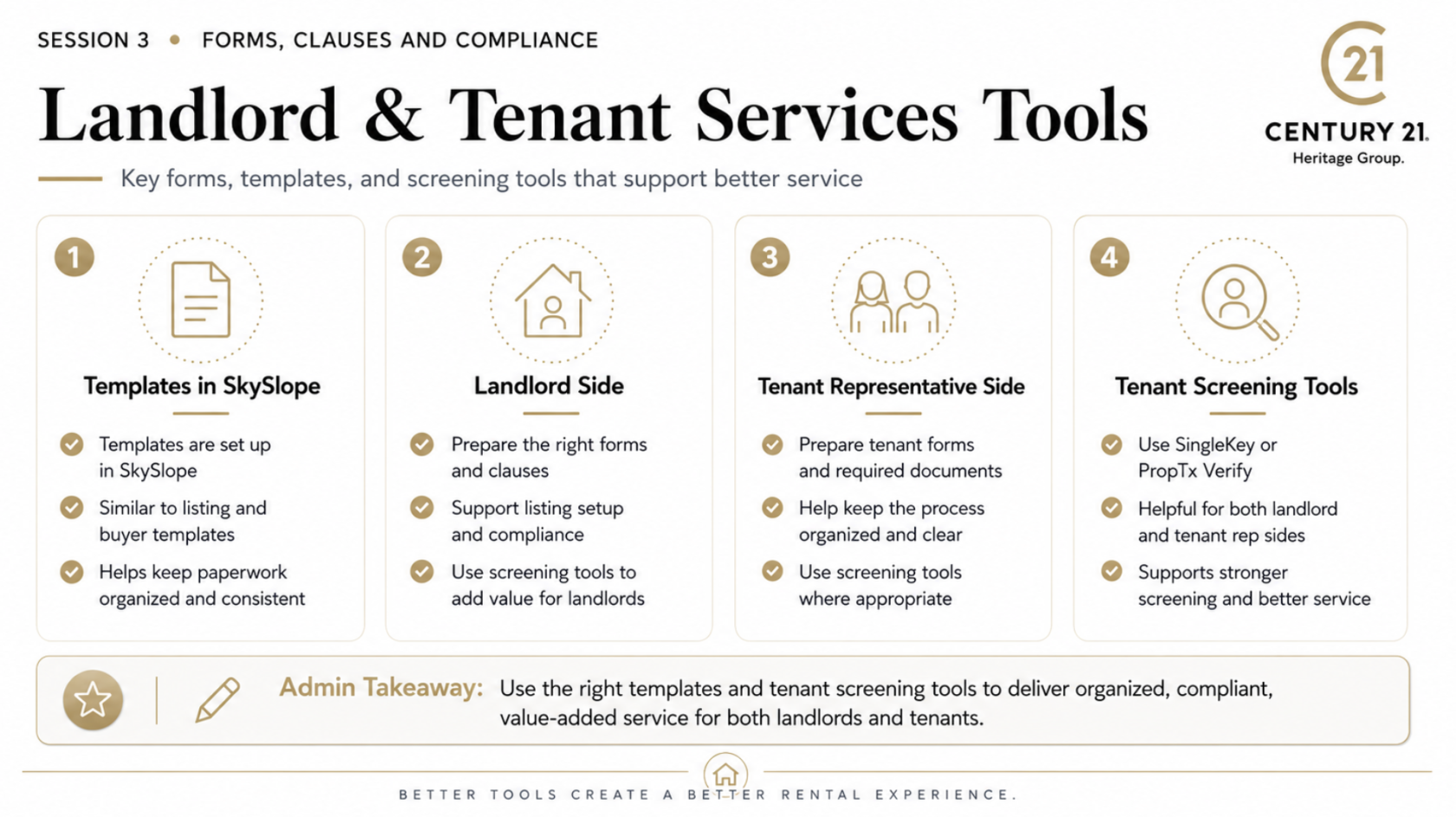
# Tenant Forms
Accurate forms, clauses, and checklists are essential to keeping every transaction organized, compliant, and moving forward. Administrators play an important role in ensuring the correct documents are prepared, completed, submitted, and tracked at the right stage of the deal.
The Team Playbook includes dedicated sections for listing, buyer, landlord, and tenant transactions, along with forms and clause resources, templates, checklists, and standard procedures. Use these resources as a reference when preparing a file, confirming requirements, or supporting an agent through a transaction.
When in doubt, refer to the appropriate Team Playbook section and confirm the next step before proceeding.
[](https://team.heritageplaybook.ca/uploads/images/gallery/2026-06/screenshot-2026-06-22-at-11-07-20-am.png)
# Clauses
This section is to help define Clauses
# Listing Clauses
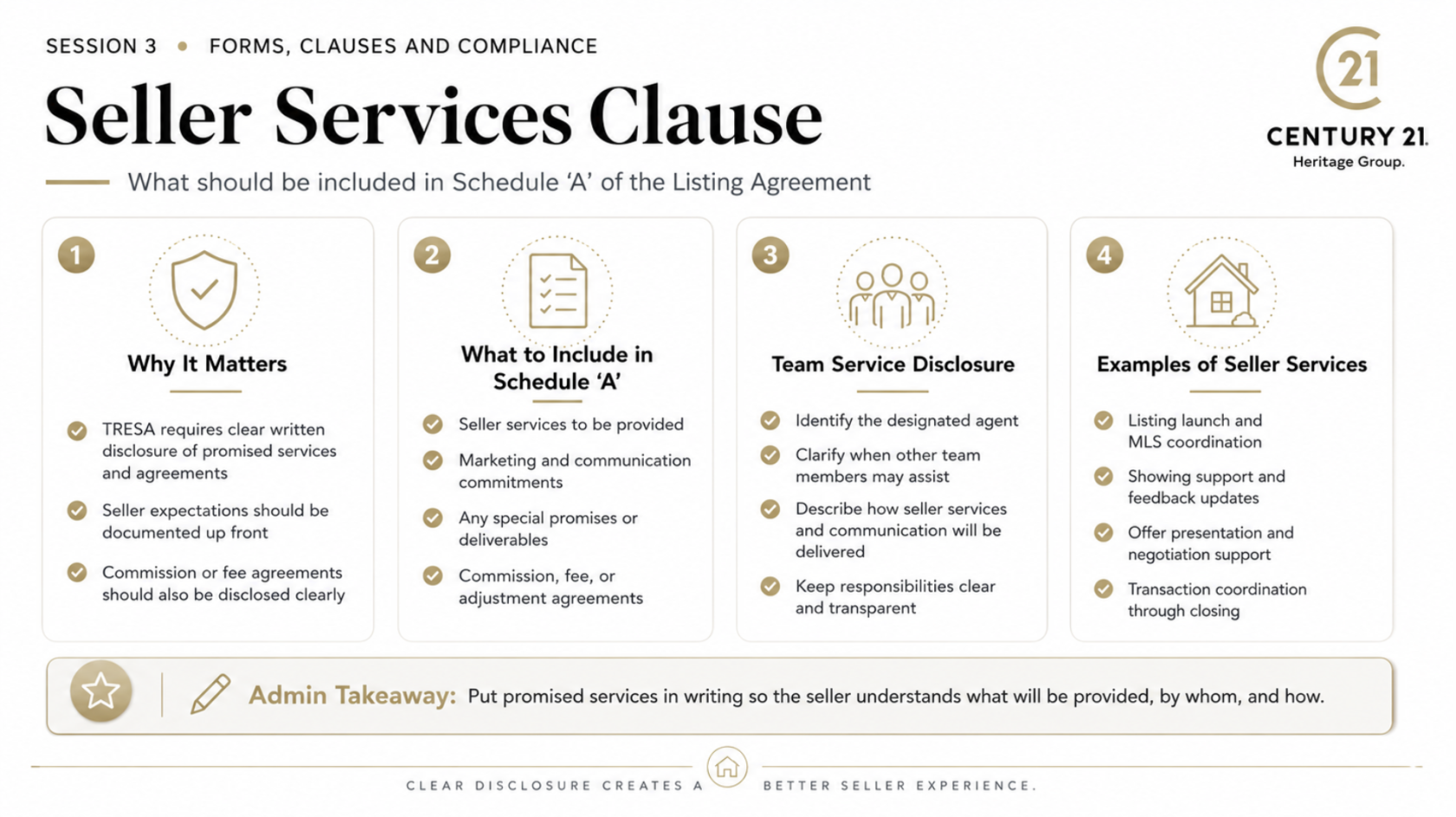
Schedule ‘A’ is used to clearly document the services, commitments, and special terms that apply to the client relationship.
For both seller and buyer representation, it helps ensure everyone understands what services will be provided, how communication and support will be handled, and any additional agreements that have been promised. This may include marketing, showing coordination, offer preparation, transaction support, post-sale service, commission arrangements, or other specific deliverables.
For teams, Schedule ‘A’ can also help clarify how service will be delivered. Identify the designated representative where applicable and explain when other team members may assist with administrative, marketing, showing, or transaction support.
Transparency protects the client, the agent, and the brokerage. Put important promises and compensation-related agreements in writing so there is no confusion about what is being provided, by whom, and under what terms.
[](https://team.heritageplaybook.ca/uploads/images/gallery/2026-06/screenshot-2026-06-22-at-11-11-26-am.png)
# Buyer Clauses
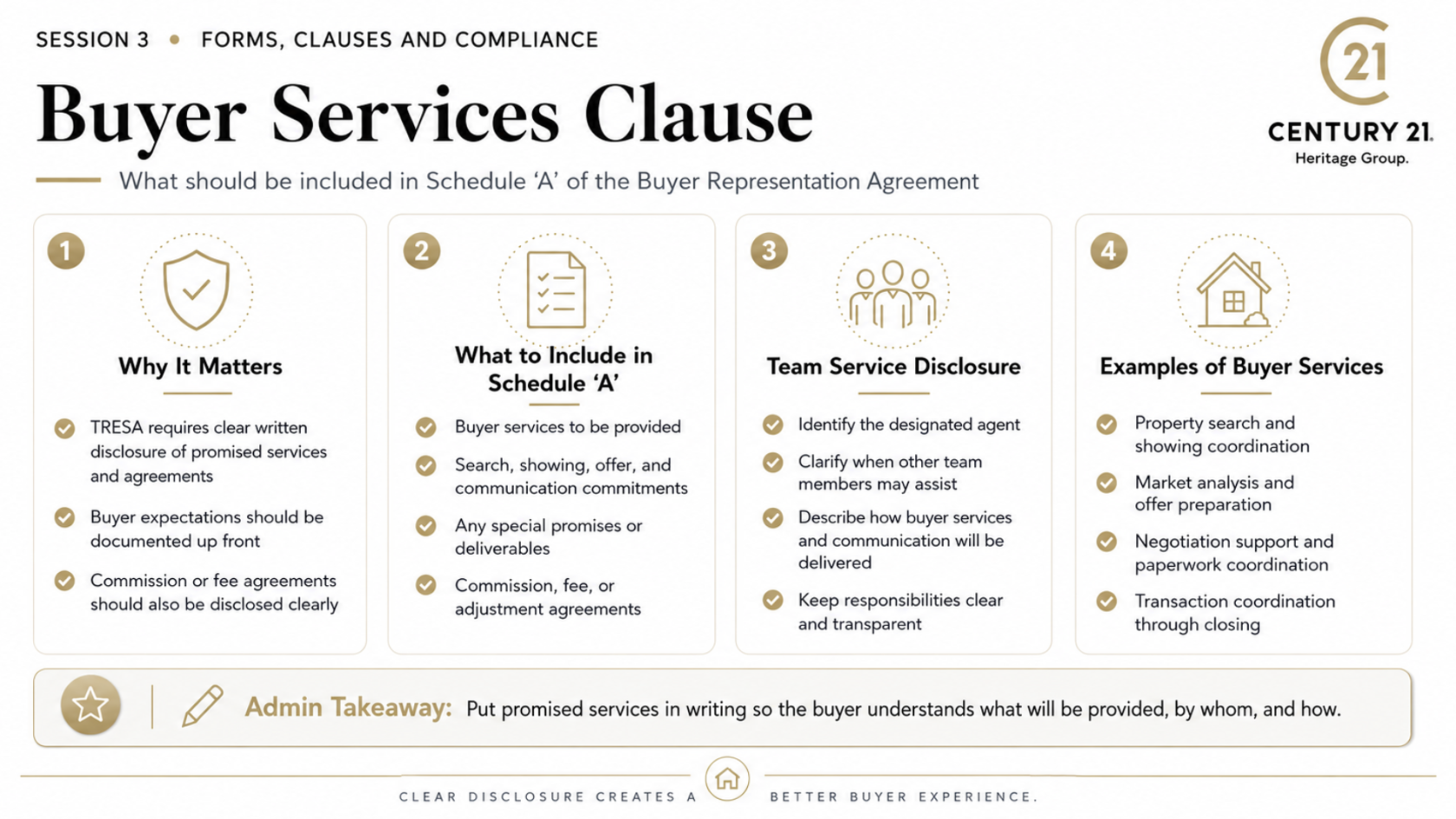
Schedule ‘A’ is used to clearly document the services, commitments, and special terms that apply to the client relationship.
For both seller and buyer representation, it helps ensure everyone understands what services will be provided, how communication and support will be handled, and any additional agreements that have been promised. This may include marketing, showing coordination, offer preparation, transaction support, post-sale service, commission arrangements, or other specific deliverables.
For teams, Schedule ‘A’ can also help clarify how service will be delivered. Identify the designated representative where applicable and explain when other team members may assist with administrative, marketing, showing, or transaction support.
Transparency protects the client, the agent, and the brokerage. Put important promises and compensation-related agreements in writing so there is no confusion about what is being provided, by whom, and under what terms.
---
---
[](https://team.heritageplaybook.ca/uploads/images/gallery/2026-06/screenshot-2026-06-22-at-11-14-04-am.png)
T
# Tenant Lease Clauses
# Landlord Lease Clauses
# Compliance
# FINTRAC
# Deal Deficiencies
# Typing Offers for Agents
### Offer Details Intake: Choose One Clear System
Before an offer is prepared, the agent and team leader should decide **how all offer details will be communicated to admin**. The goal is simple: one complete source of information, fewer follow-ups, and a clear record of the agent’s instructions.
A team may choose:
- **Verbal intake:** Fast, but easiest to miss details. Best only when followed immediately by a written confirmation.
- **Email template:** Good for detailed instructions and creates a searchable record, but agents may skip questions or answer inconsistently.
- **Google Form / online intake form:** Usually the strongest option because required fields prevent missing information and keep every offer request consistent.
- **Offer drafting platform:** A structured tool such as VirtualOffer.ca can collect the agent’s answers and route the completed information to the front desk for drafting. Century 21 Heritage Group identifies VirtualOffer.ca as a tool that lets agents answer questions so offers can be prepared in SkySlope or WebForms for client signature.
### Recommended Team Standard
**Use a templated offer-intake process for every offer.**
The agent completes the intake form before the admin team begins preparing the package. Admin reviews the submission for completeness, prepares the documents for the registrant’s review, and flags anything unclear or missing.
This keeps the admin role clerical and operational. The registrant remains responsible for all advice, strategy, clauses, price, terms, explanations, and client signatures. Ontario’s rules require registered agents and brokerages to meet TRESA obligations, while RECO specifically recognizes that non-registered brokerage staff play an important role in supporting compliant operations.
### Suggested Slide Copy
**A Consistent Offer Intake Process**
A complete offer starts with complete instructions.
Create one standard process for agents to provide offer details to admin—whether by email template, Google Form, or VirtualOffer.ca.
**Why it matters**
- Reduces back-and-forth between agent and admin
- Prevents missed details and last-minute corrections
- Creates a clear written record of instructions
- Helps admin prepare a complete package efficiently
- Keeps the registrant focused on advice, strategy, and client communication
**Best Practice**
Use a required-question intake form. The offer is not drafted until the required information is complete.
**Admin’s Role**
Review for completeness, prepare documents for registrant review, organize the file, and flag missing information.
**Registrant’s Role**
Confirm all details, advise the client, explain documents and clauses, obtain signatures, and present or negotiate the offer.
### Core Questions for an Offer Intake Form
1. Property address and MLS number
2. Buyer names exactly as they should appear on the APS
3. Buyer representation agreement status
4. Purchase price
5. Deposit amount, form, holder, and delivery timing
6. Irrevocable date and time
7. Closing date
8. Chattels included
9. Fixtures excluded
10. Conditions required and deadlines
11. Financing details, if applicable
12. Home inspection details, if applicable
13. Status certificate, lawyer review, insurance, sale-of-property, or other conditions
14. Schedule A / Schedule B instructions
15. Additional clauses requested by the registrant
16. Commission or remuneration instructions requiring registrant review
17. Any representation, disclosure, or multiple-representation considerations
18. Notes or special instructions for the admin team
**Training reminder:** Do not let the form turn into a substitute for agent judgment. It gathers instructions; it does not replace the registrant’s review or client advice. RECO’s materials emphasize that services and assistance to consumers are regulated under TRESA, including required consumer information and explanation obligationsCreating
[](https://team.heritageplaybook.ca/uploads/images/gallery/2026-07/screenshot-2026-07-05-at-5-55-05-pm.png)
### **[CLICK HERE FOR VIDEO](https://www.youtube.com/watch?v=inH5Le2s380&t=998s)**
# Submitting Deal Paperwork for Review
## SOP: Transaction Management Using SkySlope
**Purpose**
To ensure every deal is entered, organized, and submitted consistently in SkySlope so the brokerage file is complete, easy to review, and ready for processing.
This SOP follows the workflow introduced in Stephanie’s **Transaction Management using SkySlope** video: create a new purchase transaction, select the correct representation and property, then build and organize the transaction file.
### 1. Confirm You Have a Complete Deal Package
Before opening SkySlope, confirm the agent has provided:
- Fully signed Agreement of Purchase and Sale
- All schedules, clauses, amendments, waivers, or fulfilments
- Correct buyer and seller names
- Property address and MLS® number, where applicable
- Purchase price, deposit details, closing date, and condition dates
- Representation and compliance documents required for the transaction
- Any additional supporting documents or special instructions
**Admin role:** organize and verify completeness.
**Registrant role:** confirm terms, give advice, explain documents, and obtain signatures.
---
### 2. Create the Transaction in SkySlope
1. Log in to **SkySlope**.
2. Go to the **Transactions** area.
3. Select **Create New Transaction**.
4. Choose the correct transaction type, such as:
- Purchase
- Listing
- Lease
- Other transaction type used by the brokerage
5. Select the correct representation type.
6. Enter the property details carefully.
Use the signed APS and agent instructions as the source for all transaction details. Do not guess or fill in missing information.
---
### 3. Enter the Deal Details Carefully
Enter and verify the core transaction information, including:
- Property address
- Buyer and seller names
- Agent and team information
- Purchase price
- Deposit amount and deposit instructions
- Closing date
- Condition dates
- Representation details
- Lawyer information, when provided
- Any other required transaction fields
**Best practice:** Compare every key field to the signed agreement before moving forward.
---
### 4. Upload Required Documents
Upload the deal paperwork into the appropriate SkySlope sections or folders.
Typical documents may include:
- Agreement of Purchase and Sale
- Schedules and clauses
- Confirmation of Co-operation and Representation
- Waivers, fulfilments, amendments, or notices
- FINTRAC documentation
- Trade Record Sheet
- Deposit-related documentation, where applicable
- Agent sales information sheet
- Any required disclosures or compliance forms
Upload documents as clear PDFs whenever possible.
---
### 5. Keep the File Organized
Use consistent document names so another admin, manager, or compliance reviewer can immediately understand the file.
Suggested naming format:
`Property Address – Document Name – Date`
Examples:
- `123 Main Street – APS – June 12 2026`
- `123 Main Street – Schedule B – June 12 2026`
- `123 Main Street – Financing Waiver – June 18 2026`
Keep documents in the appropriate SkySlope section rather than uploading everything into one general folder.
---
### 6. Complete a Final File Review
Before submitting, check:
- Are all required signatures present?
- Are dates and deadlines correct?
- Are all schedules attached?
- Do names match across the APS, schedules, and compliance documents?
- Is the transaction type correct?
- Are all required brokerage forms included?
- Are documents legible and named clearly?
- Have all amendments, waivers, and fulfilments been added?
If anything is missing or unclear, flag it for the agent or team leader immediately.
---
### 7. Submit for Brokerage Review
Once the file is complete:
1. Confirm the documents are properly uploaded and organized.
2. Submit the transaction through SkySlope for brokerage review.
3. Monitor the file for notes, missing-document requests, or approval updates.
4. Save or communicate any follow-up requirements to the agent promptly.
---
### Key Standard
**A deal should never be submitted as “complete” when paperwork is missing, unreadable, unsigned, or placed in the wrong section.**
Organized files reduce review delays, protect the brokerage, and help the deal move smoothly from accepted offer through closing. RECO has emphasized that unregistered brokerage staff play an important role in supporting compliant brokerage operations, while the brokerage remains responsible for compliance.
[](https://team.heritageplaybook.ca/uploads/images/gallery/2026-07/screenshot-2026-07-05-at-6-13-05-pm.png)
### **[CLICK HERE FOR VIDEO ](https://www.youtube.com/watch?v=J81ViXtYrrI&t=34s "Deal Submitting in Skyslope")**
# Listing Intake to Sold
This section guides administrative team members through the complete listing process, from the first intake and property research through marketing, offers, closing, and long-term client follow-up. You will learn how to prepare pre-listing materials, organize listing paperwork, coordinate marketing activities, monitor feedback, support offer presentation, and help ensure all documents and deadlines are handled accurately.
The goal is to create a consistent, professional listing experience that supports the agent, protects the brokerage, and provides exceptional service to the seller. The process does not end when the property sells—strong follow-up and ongoing communication help turn satisfied clients into repeat and referral business through the REALTOR® for Life approach.
# Listing Process Checklist
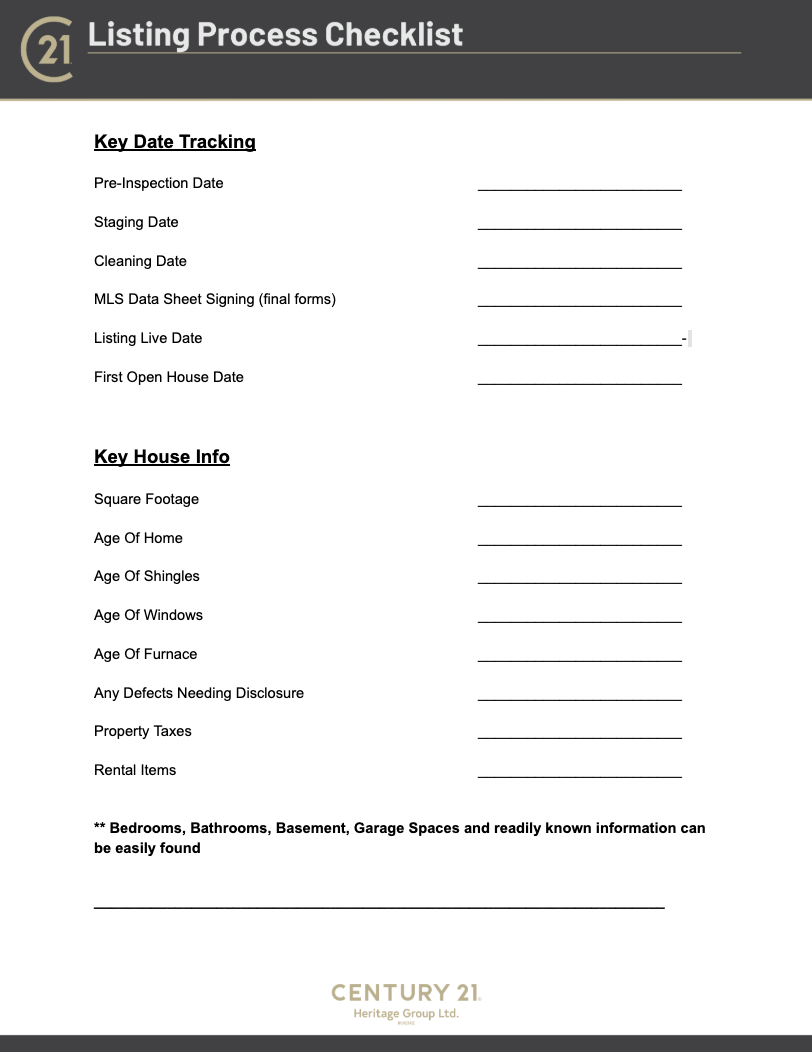
**This checklist provides a complete, step-by-step overview of the listing process, from the initial intake and property research through marketing, offers, closing, and post-sale follow-up. It is designed to help the listing agent and administrative team stay organized, track progress, meet important deadlines, and ensure that no key step is overlooked.**
**The checklist can also serve as a strong starting point for building a digital workflow using tools such as Google Keep, Asana, Monday.com, or another project management platform. Tasks can be added, assigned, scheduled, and tracked to create a more consistent and efficient listing system for your business.**
[](https://team.heritageplaybook.ca/uploads/images/gallery/2026-07/screenshot-2026-07-10-at-11-11-32-am.png)
### [CLICK HERE TO GAIN ACCESS TO THE LATEST FORM](https://docs.google.com/document/d/1nU3_rVnOmYtgk84zCyneiHpVsnRTYNVd/edit?usp=sharing&ouid=102369392287269900642&rtpof=true&sd=true "LISTING PROCESS CHECKLIST ")
# Property Research Checklist
## 1. Confirm the Property Information
Before ordering reports, confirm the following information with the seller:
- Municipal address
- Seller’s legal name
- Property type
- Current property use
- Approximate lot size
- Number of bedrooms and bathrooms
- Approximate square footage
- Ownership date
- Recent renovations or additions
- Rental equipment
- Existing tenancies
- Known easements, encroachments, rights-of-way, or shared driveways
- Septic, well, or rural servicing information, where applicable
The municipal address and owner information should be verified before purchasing any paid reports.
---
## 2. Print the Property Line Report
Obtain and save the available property line or mapping report.
Review the report for:
- Approximate lot boundaries
- Lot frontage and depth
- Property shape
- Road access
- Laneways or shared driveways
- Nearby structures
- Possible encroachments
- Easements or rights-of-way shown on the mapping
- Proximity of buildings to lot lines
- Irregular boundaries
Property line mapping is generally approximate and should not be represented as a legal survey.
Where property boundaries are important to the sale, ask the seller whether a current survey, reference plan, site plan, or other legal document is available.
### Escalate When
- A building appears close to or over a property line
- A driveway appears to cross another property
- Fencing does not appear to follow the mapped boundary
- The seller is uncertain about the lot limits
- The property includes a shared laneway or private road
- The property line report conflicts with the seller’s understanding
---
## 3. Print the GeoWarehouse Report
Obtain the available GeoWarehouse property report and save it in the listing research folder.
Review the report for:
- Registered owner information
- Legal description
- Property identification number
- Lot dimensions
- Sales history
- Mortgage information, where available
- Property type
- Year built, where available
- Site area
- Assessment information
- Estimated square footage
- Nearby comparable sales
- Mapping and aerial imagery
Information obtained from GeoWarehouse should be compared with seller-provided information, municipal records, previous listings, and other available reports.
Do not assume that all GeoWarehouse information is current or accurate.
### Escalate When
- The registered owner does not match the person signing the listing agreement
- The legal description appears incomplete
- The property type is different from the seller’s description
- The estimated square footage differs significantly from other sources
- The sales history contains unexplained transactions
- The lot dimensions differ from previous listings or seller information
---
## 4. Purchase the Title or Parcel Register
Purchase a current parcel register or title report for the property.
Review the report for:
- Registered owner names
- Ownership type
- Legal description
- Property identification number
- Mortgages and charges
- Easements
- Rights-of-way
- Restrictive covenants
- Notices
- Construction liens
- Executions or other registered interests
- Recent transfers
- Other title-related concerns
The names on the listing agreement must match the registered ownership unless proper legal authority has been confirmed.
### Escalate When
- A seller’s name does not appear on title
- An owner is deceased
- The property is held by a corporation, estate, trust, or power of attorney
- There is a construction lien
- There are unusual easements or restrictions
- A recent transfer is not understood
- The legal description conflicts with other reports
- There are concerns about the seller’s authority to list or sell
Title concerns should be reviewed with the Broker of Record, manager, or the seller’s lawyer before proceeding.
---
## 5. Purchase the Square Footage Report
Obtain a recognized square footage report when the size of the property will be used for pricing, advertising, comparison, or buyer decision-making.
Review:
- Above-grade square footage
- Below-grade finished area
- Total finished area
- Exterior versus interior measurement method
- Included and excluded spaces
- Garage measurements
- Basement measurements
- Additions
- Finished attic or loft areas
- Areas with reduced ceiling height
Compare the report with:
- Seller-provided information
- Previous MLS listings
- Builder plans
- Municipal records
- MPAC or assessment information
- GeoWarehouse
- Floor plans
- On-site observations
The source and measurement method should be clearly identified whenever square footage is advertised.
### Escalate When
- Reports show materially different measurements
- A finished area may not be legally recognized
- An addition is not reflected in municipal records
- A basement is being included in above-grade square footage
- The seller insists on advertising an unsupported measurement
- The property has unusual ceiling heights, additions, or converted spaces
Do not advertise square footage that cannot be reasonably supported.
---
## 6. Check Area Influences
Research positive and negative influences that may affect value, enjoyment, financing, insurance, future development, or buyer interest.
Review the immediate area for:
- Rail lines
- Airports or flight paths
- Major roads or highways
- Commercial or industrial properties
- Waste facilities
- Hydro corridors
- Pipelines
- Flood plains
- Conservation-regulated areas
- Shoreline or environmental restrictions
- Schools
- Places of worship
- Parks and recreation
- Public transit
- Construction projects
- Planned developments
- Zoning changes
- Noise, odour, traffic, or lighting concerns
- Nearby farms or agricultural operations
- Cemeteries
- Emergency services
- Future road extensions
- Heritage designations or districts
Area influences should be reviewed through available municipal mapping, planning documents, conservation authority resources, local knowledge, and an on-site inspection.
### Document Both Positive and Negative Influences
Positive influences may be used in the marketing plan when they are accurate and supportable.
Negative influences should be discussed with the seller and disclosed where required.
### Escalate When
- A planned development may materially affect the property
- The property may be in a floodplain or regulated area
- There is a nearby environmental concern
- The current use may conflict with zoning
- The property is affected by a heritage designation
- There are significant noise, odour, access, or traffic concerns
- Information cannot be confirmed
---
## 7. Check for Open Permits
Contact or search the applicable municipality to determine whether there are open, inactive, expired, or unresolved building permits associated with the property.
Where available, review:
- Permit number
- Permit type
- Date issued
- Work description
- Inspection status
- Final inspection status
- Permit closure status
- Outstanding orders
- Property standards concerns
- Unapproved additions or renovations
Ask the seller about all major renovations, including:
- Finished basements
- Additions
- Decks
- Garages
- Structural changes
- Plumbing work
- Electrical work
- HVAC changes
- Secondary suites
- Pool installations
- Septic alterations
- Changes to entrances or exits
### Escalate When
- A permit remains open
- Work was completed without a permit
- A final inspection was not completed
- The property contains an unapproved secondary unit
- The physical property differs from municipal records
- There is an outstanding municipal order
- The seller is unsure whether permits were obtained
The listing agent should not state that work is legal, permitted, or compliant unless it has been verified through an appropriate source.
---
# Review and Reconciliation
Once all reports have been obtained, compare the information across every source.
Confirm consistency in:
- Owner names
- Municipal address
- Legal description
- Property identification number
- Lot size
- Property type
- Square footage
- Number of bedrooms and bathrooms
- Year built
- Renovations
- Basement status
- Parking
- Property use
- Easements and rights-of-way
- Permit history
Create a written list of discrepancies and review them with the listing agent before the listing paperwork is prepared.
---
# File Organization
Create a property research folder using the brokerage’s approved file storage system.
Recommended file names:
- 01 Property Line Report
- 02 GeoWarehouse Report
- 03 Parcel Register
- 04 Square Footage Report
- 05 Area Influence Research
- 06 Permit Search
- 07 Seller Documents
- 08 Research Notes and Discrepancies
All reports should be dated and retained with the listing records in accordance with brokerage policies.
---
# Final Approval Before Listing
The property should not be loaded onto MLS until the listing agent has:
- Reviewed all available reports
- Confirmed the registered ownership
- Reviewed title concerns
- Reconciled square footage information
- Identified relevant area influences
- Reviewed permit information
- Discussed material discrepancies with the seller
- Obtained guidance from management or legal counsel where required
- Confirmed that all advertised property information is supportable
## Completion Standard
Property research is complete when the listing agent has sufficient reliable information to accurately prepare the listing documentation, advise the seller, establish the marketing strategy, and represent the property without making unsupported claims.
# Technology
# Maintenance Checklist
[](https://team.heritageplaybook.ca/uploads/images/gallery/2026-08/screenshot-2026-08-24-at-8-57-28-am.png)
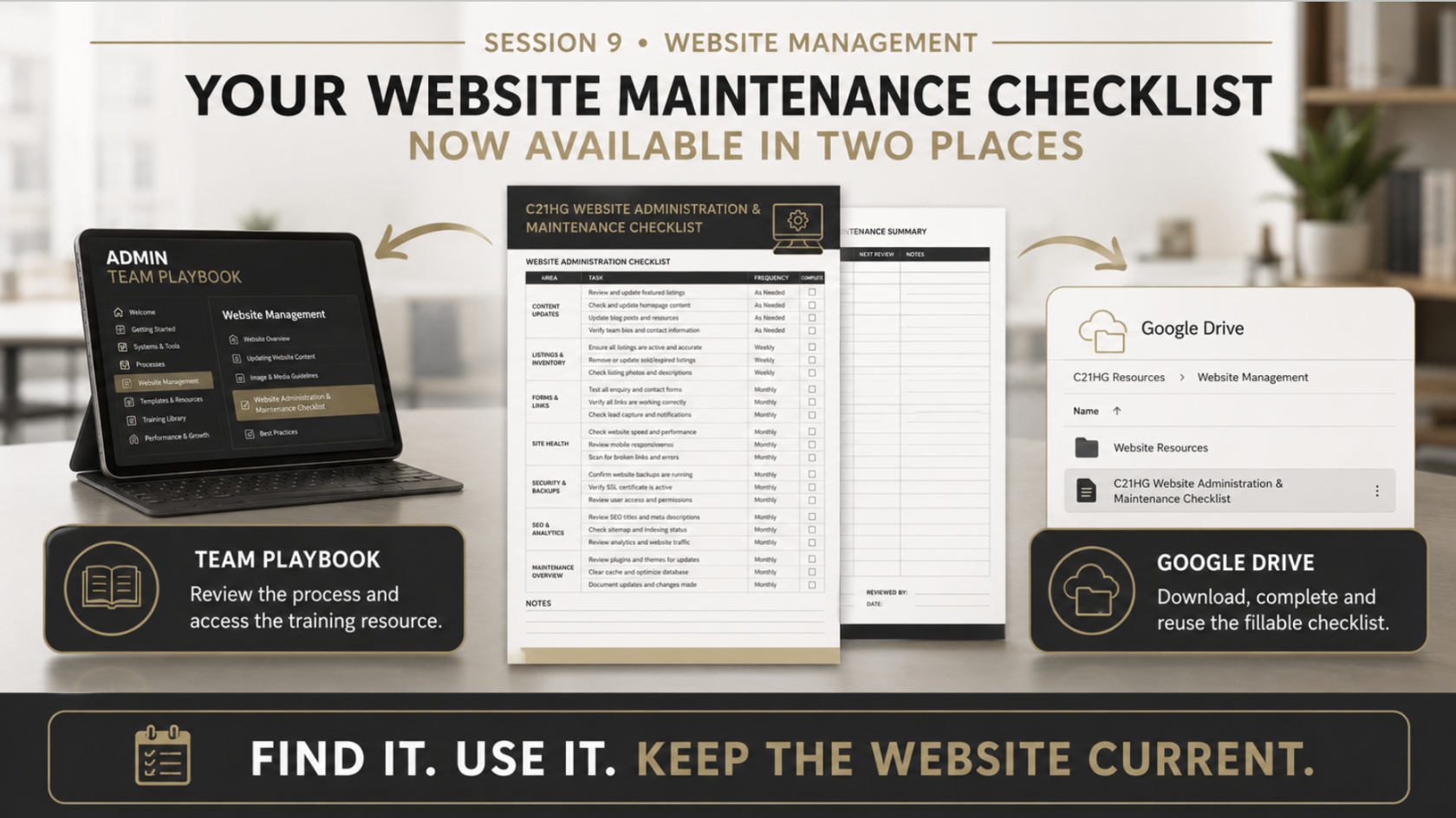
### **[Checklist - Website Maintenance ](https://drive.google.com/file/d/12MWG1wJ2ligIvgmLXpDFbCoQB8GItG0H/view?usp=drive_link)**